Adopting a data warehouse in the cloud with Snowflake requires a modern approach to the movement of enterprise data. This data is often generated by diverse data sources deployed in various locations – including on-premise data centers, major public clouds, and devices.
In this technical demo, Fahad Ansari and Srdan Dvanajscak show you two ways to stream data from an Oracle database to Snowflake:
Directly, with Striim’s native integration with Snowflake that gives users granular control over how their data is uploaded to Snowflake
Via Kafka, using Striim to stream data to a Kafka topic and load it to Snowflake
Deliver Real-Time Insights and Fresh Data with dbt and Striim on Snowflake Partner Connect
Use Striim to stream data from PostgreSQL to Snowflake and coordinate transform jobs in dbt
Benefits
Manage Scalable Applications Integrate Striim with dbt to transform and monitor real time data SLAs
Capture Data Updates in real time Use Striim’s postgrescdc reader for real time data updates
Build Real-Time Analytical ModelsUse dbt to build Real-Time analytical and ML models
On this page
Overview
Striim is a unified data streaming and integration product that offers change capture (CDC) enabling continuous replication from popular databases such as Oracle, SQLServer, PostgreSQL and many others to target data warehouses like BigQuery and Snowflake.
dbt Cloud is a hosted service that helps data analysts and engineers productionize dbt deployments. It is a popular technique among analysts and engineers to transform data into usable formats and also ensuring if source data freshness is meeting the SLAs defined for the project. Striim collaborates with dbt for effective monitoring and transformation of the in-flight data. For example, if the expectation is that data should be flowing every minute based on timestamps, then dbt will check that property and make sure the time between last check and latest check is only 1 minute apart.
In this recipe, we have shown how Striim and dbt cloud can be launched from Snowflake’s Partner Connect to perform transformation jobs and ensure data freshness with Snowflake data warehouse as the target.
Core Striim Components
PostgreSQL CDC: PostgreSQL Reader uses the wal2json plugin to read PostgreSQL change data. 1.x releases of wal2jon can not read transactions larger than 1 GB.
Stream: A stream passes one component’s output to one or more other components. For example, a simple flow that only writes to a file might have this sequence
Snowflake Writer: Striim’s Snowflake Writer writes to one or more existing tables in Snowflake. Events are staged to local storage, Azure Storage, or AWS S3, then written to Snowflake as per the Upload Policy setting.
Benefits of DBT Integration with Striim for Snowflake
Striim and dbt work like magic with Snowflake to provide a simple, near real-time cloud data integration and modeling service for Snowflake. Using Striim, dbt, and Snowflake a powerful integrated data streaming system for real-time analytics that ensures fresh data SLAs across your company.
Striim is unified data streaming and integration product that can ingest data from various sources including change data from databases (Oracle, PostgreSQL, SQLServer, MySQL and others), and rapidly deliver it to your cloud systems such as Snowflake. Data loses it’s much of its value over time and to make the most out of it, real-time analytics is the modern solution. With dbt, datasets can be transformed and monitored within the data warehouse. Striim streams real-time data into the target warehouse where analysts can leverage dbt to build models and transformations. Coordinating data freshness validation between Striim and dbt is a resilient method to ensure service level agreements. Companies can leverage Striim integration with dbt in production to make real-time data transformation fast and reliable.
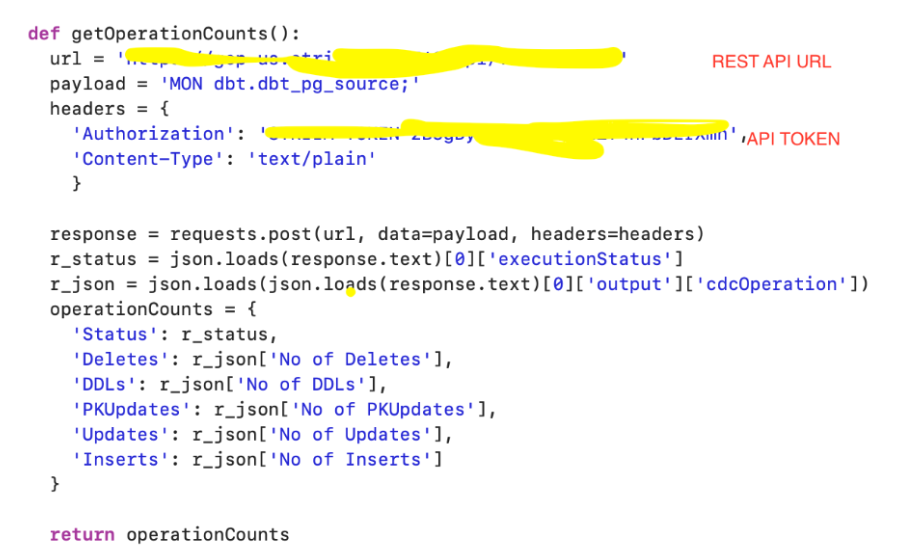
We have demonstrated how to build a simple python script that pings the Striim API to fetch metadata from the Striim source (getOperationCounts()) that records the number of DDLs, deletes, inserts and updates. This data can be used by dbt to monitor freshness, schedule or pause dbt jobs. For example, run dbt when n inserts occur on the source table or Striim CDC is in-sync. The schematic below shows the workflow of dbt cloud integration with striim server. Users can configure DBT scheduling within Striim via dbt cloud API calls. dbt integration with Striim enhances the user’s analytics pipeline after Striim has moved data in real-time.
Step 1: Launch Striim Cloud from Snowflake Partner Connect
Follow the steps below to connect Striim server to postgres instance containing the source database:
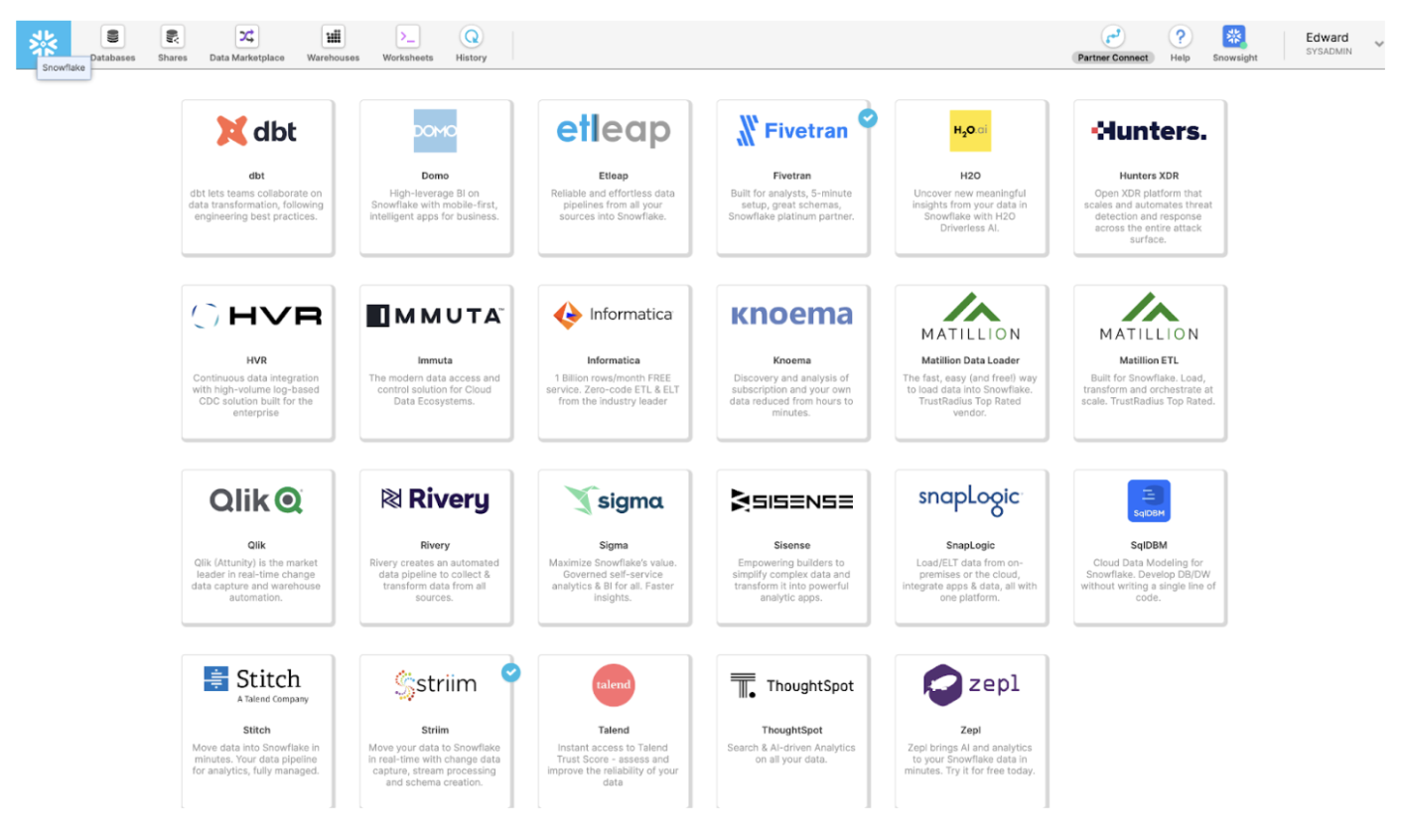
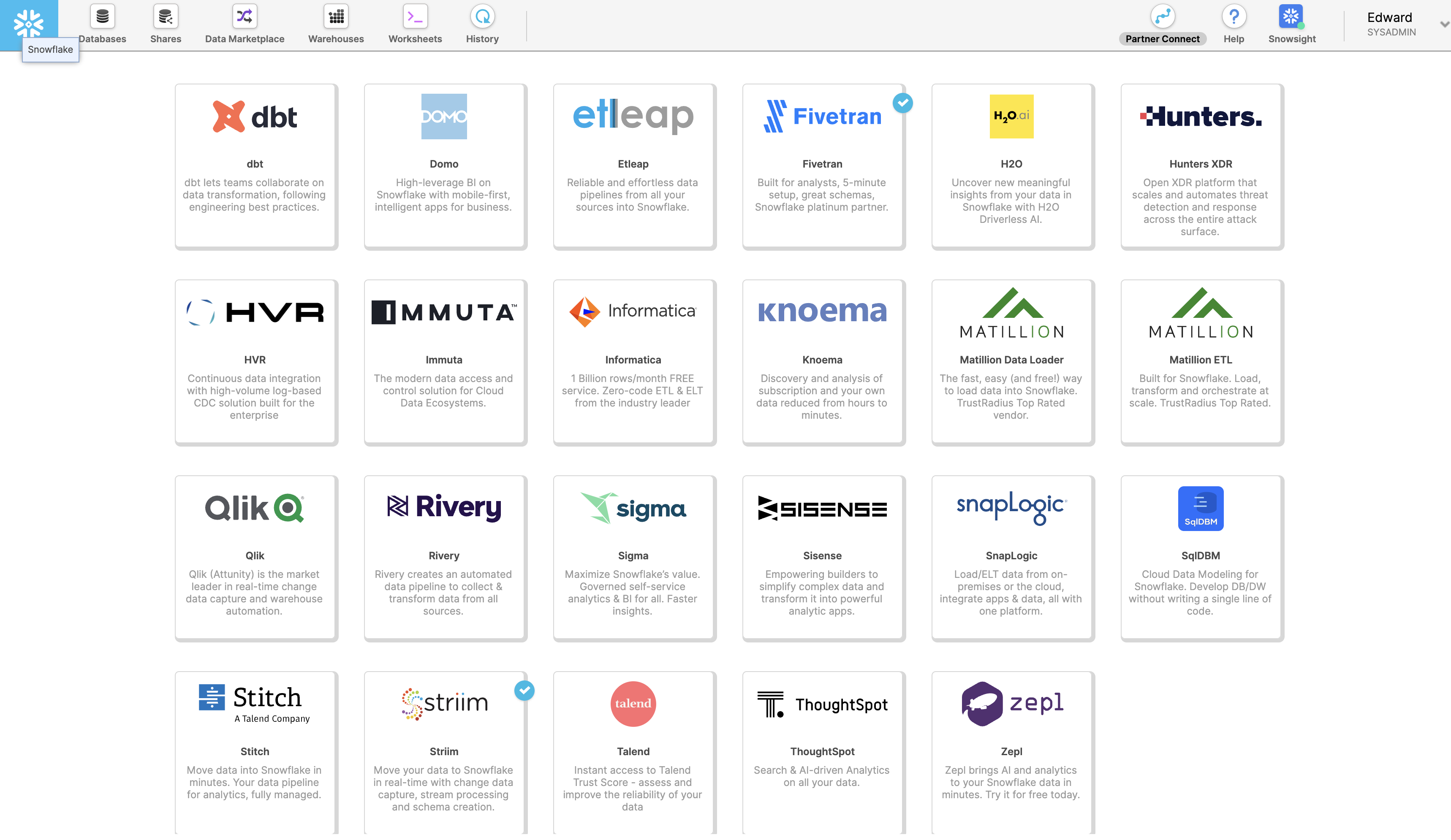
Launch Striim in Snowflake Partner Connect by clicking on “Partner Connect” in the top right corner of the navigation bar.
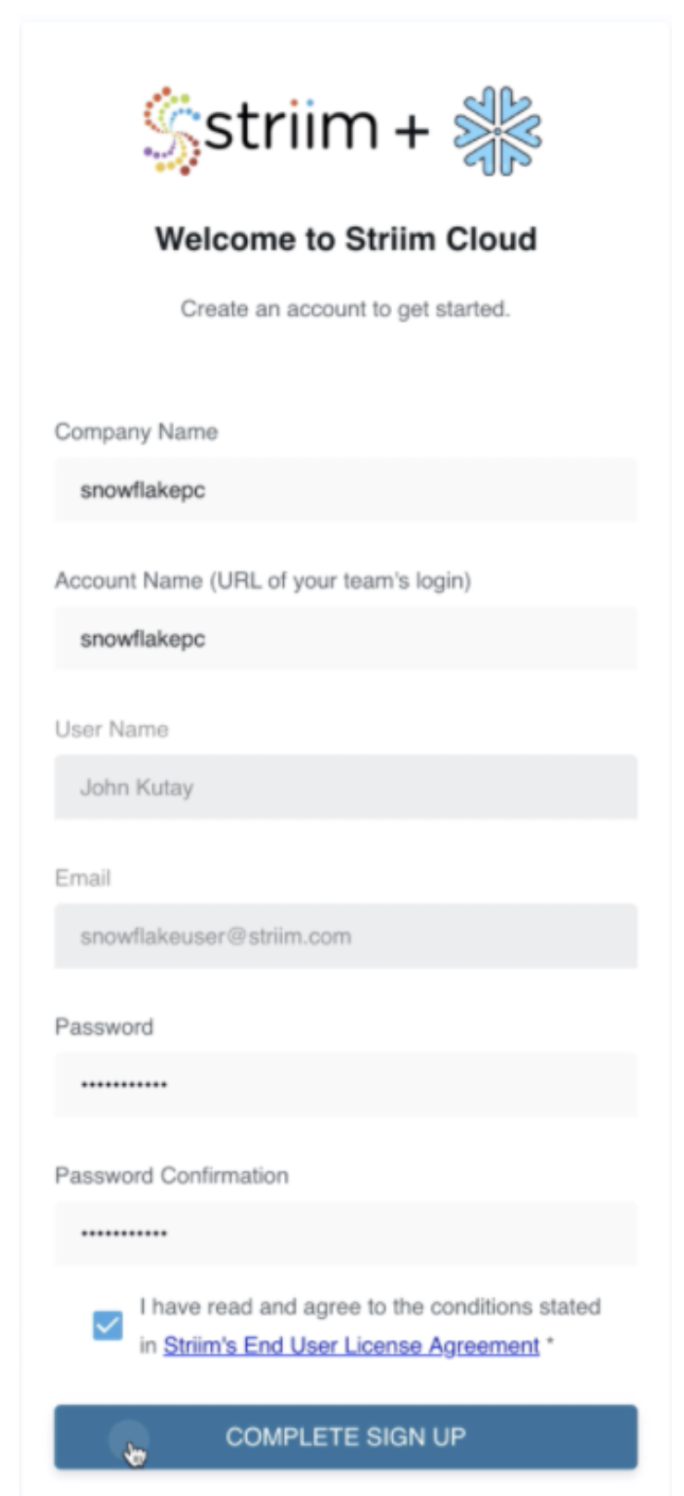
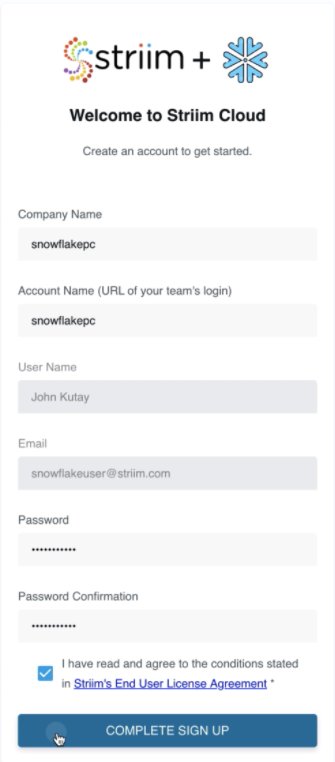
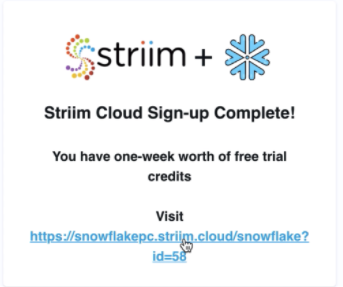
In the next window, you can launch Striim and sign up for a free trial.
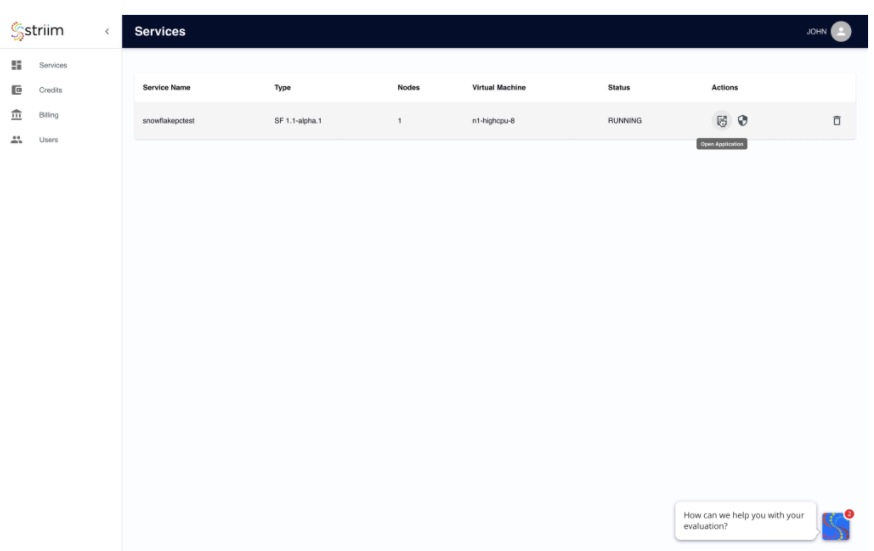
Create your first Striim Service to move data to Snowflake.
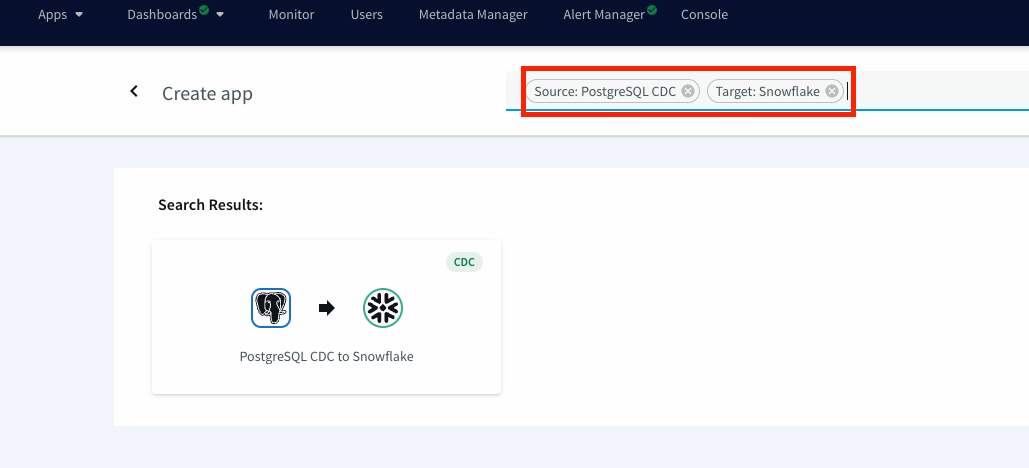
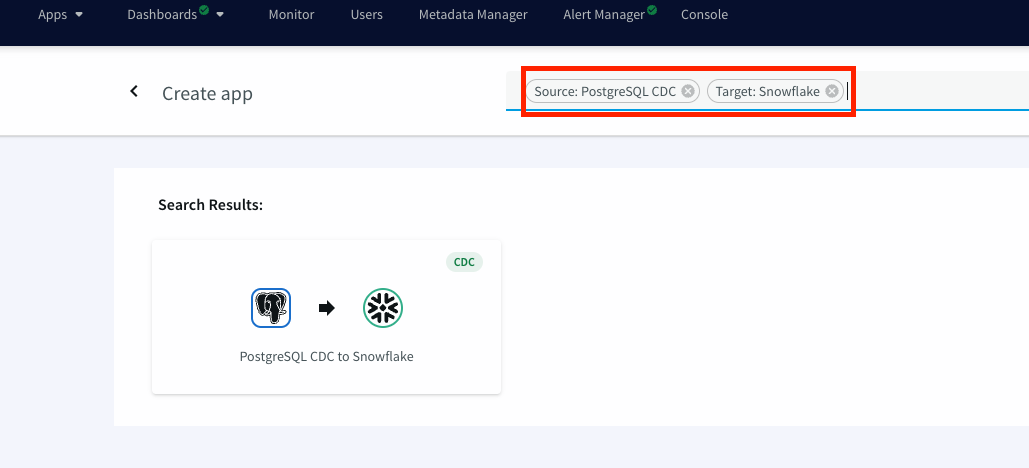
Launch the new service and use app wizard to stream data from PostgresCDC to Snowflake and Select Source and Target under create app from wizard:
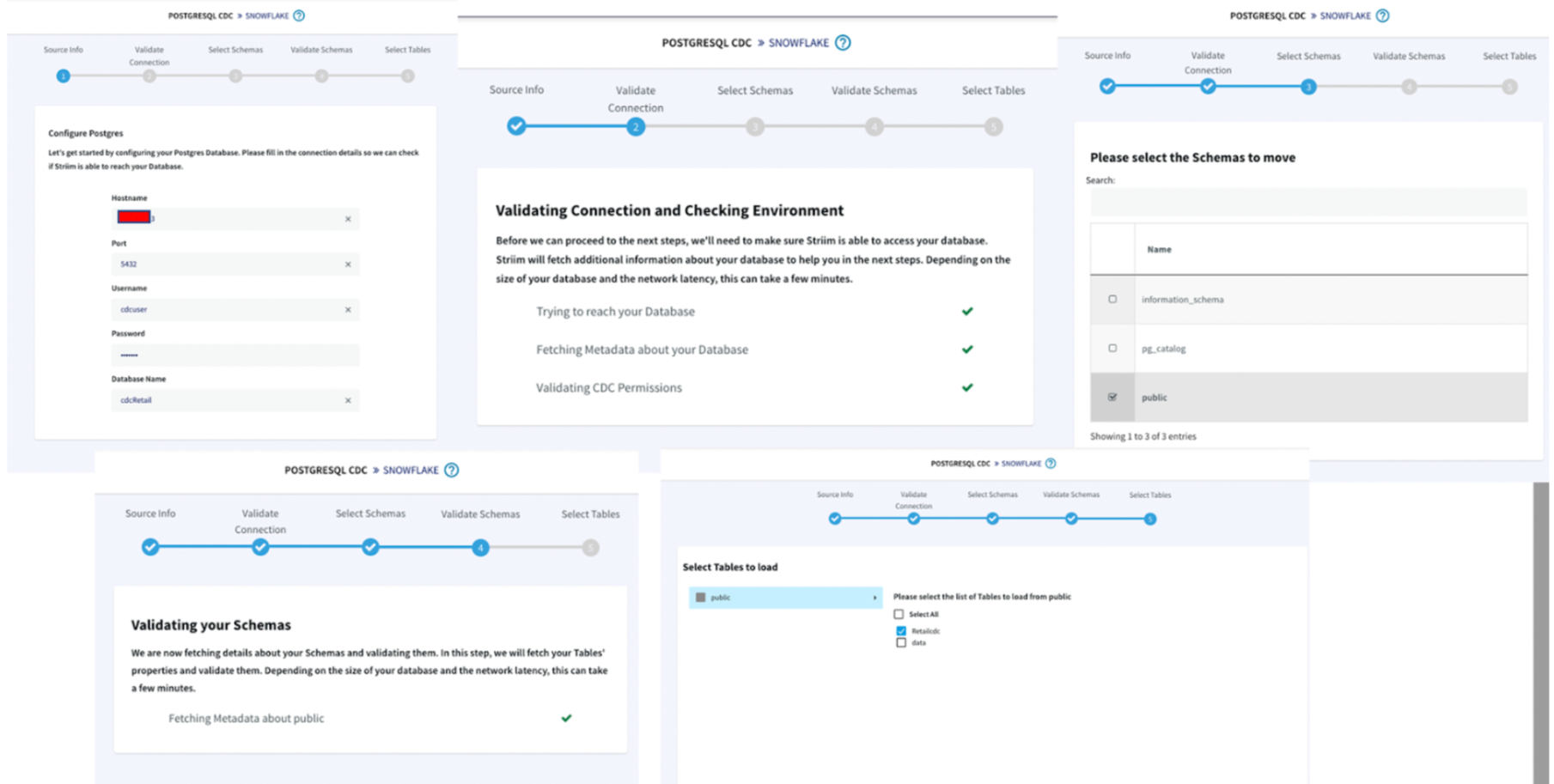
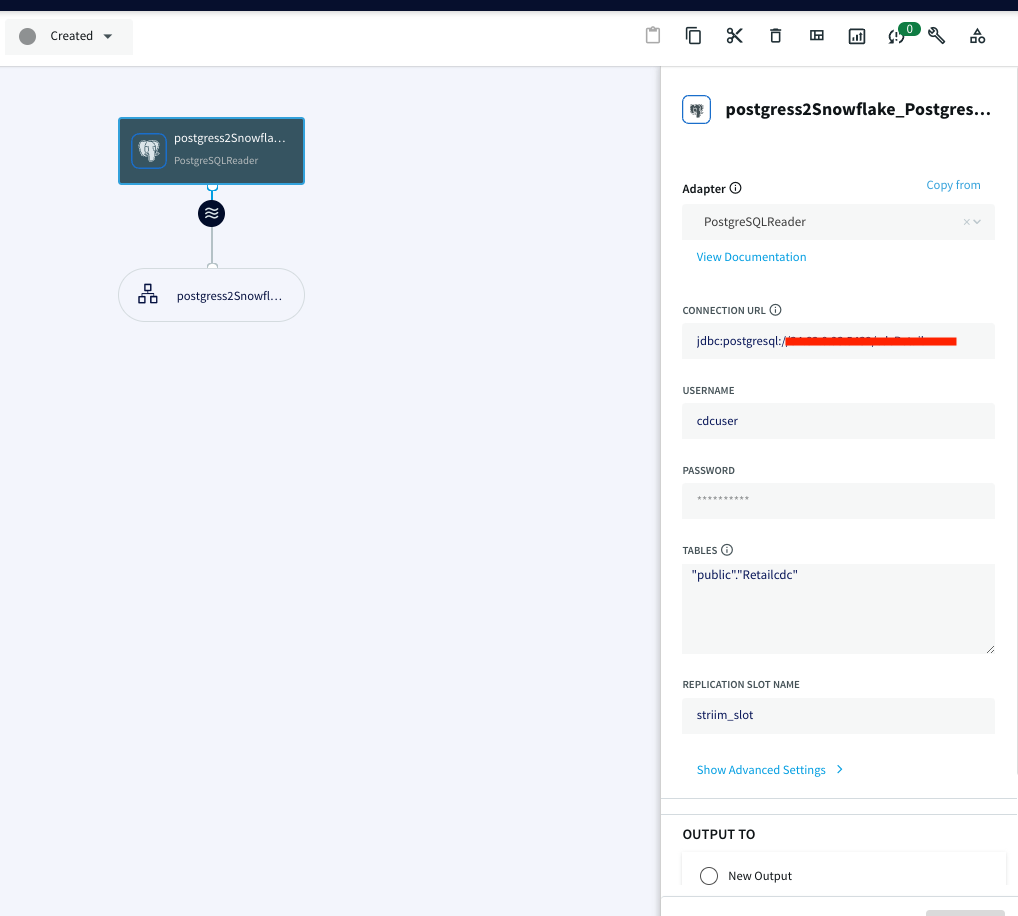
Give a name to your app and establish the connection between striim server and postgres instance.
Step 1 :
Hostname: IP address of postgres instance
Port : For postgres, port is 5432
Username & Password: User with replication attribute that has access to source database
Database Name: Source Database
Step 2 :The wizard will check and validate the connection between source to striim server
Step 3 :Select the schema that will be replicated
Step 4 :The selected schema is validated
Step 5 :Select the tables to be streamed
Once the connection with the source database and tables is established, we will configure the target where the data is replicated to.
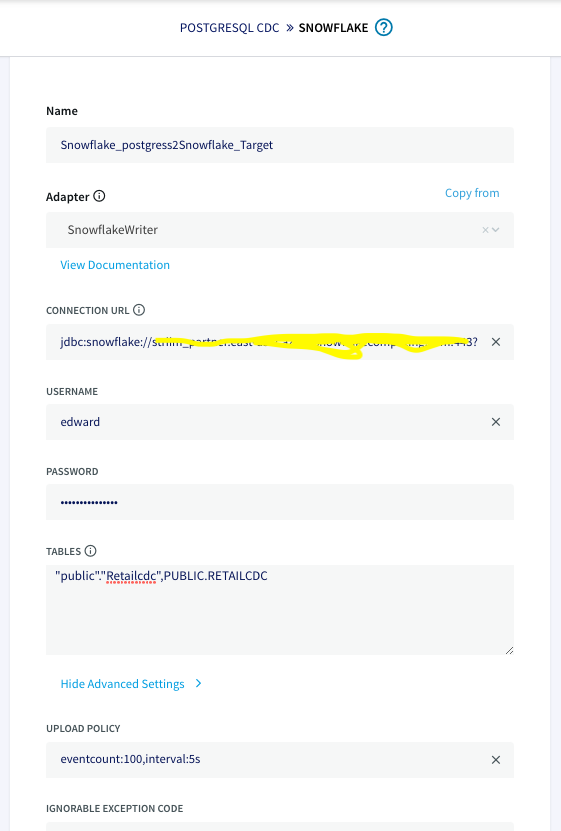
The connection url has the following format: jdbc:snowflake://YOUR_HOST-2.azure.snowflakecomputing.com:***?warehouse=warehouse_name &db=RETAILCDC&schema=public
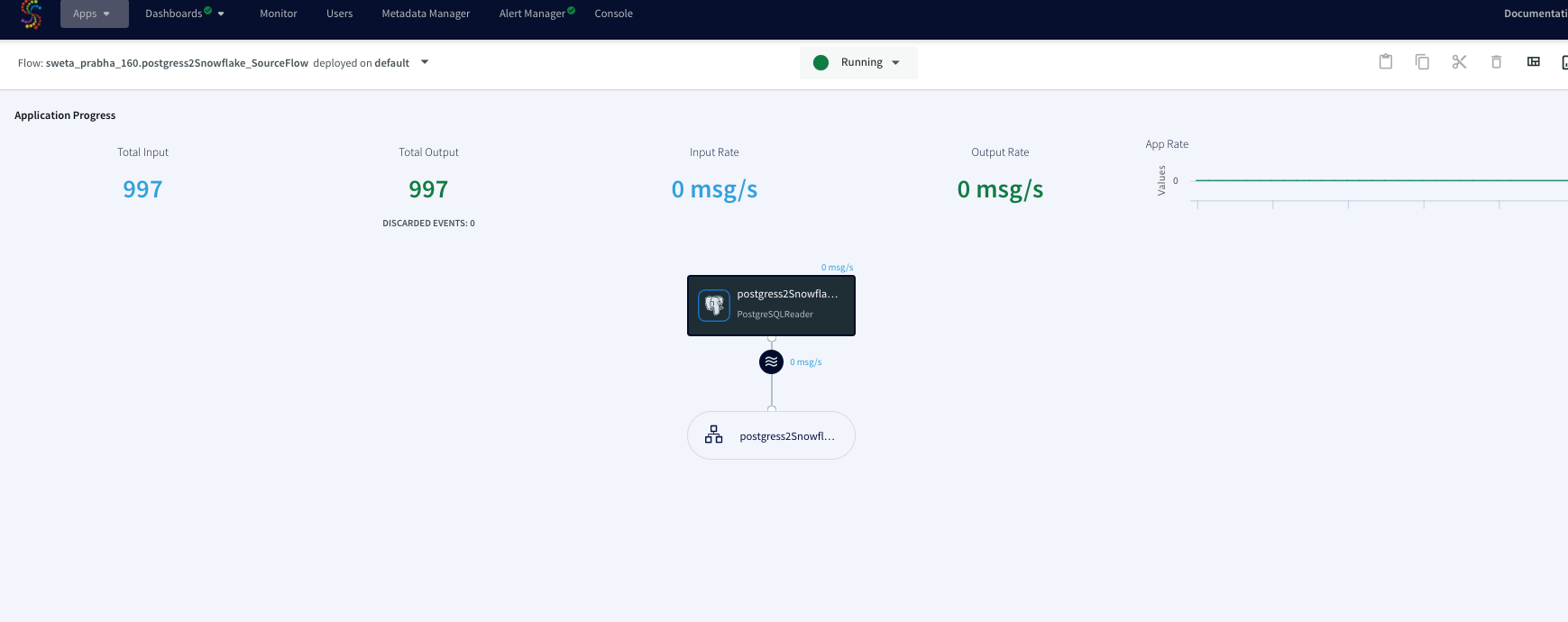
After the source and targets are configured and connection is established successfully, the app is ready to stream change data capture on the source table and replicate it onto the target snowflake table. When there is an update on the source table, the updated data is streamed through striim app to the target table on snowflake.
Step 2: Launch dbt cloud from Snowflake Partner Connect
Snowflake also provides dbt launches through Partner Connect. You can set up your dbt cloud account and project using this method. For more information on how to set up a fully fledged dbt account with your snowflake connection, managed repository and environments please follow the steps in Snowflake’s dbt configuration page.
Step 3: Configure your project on cloud managed repository in dbt cloud
For information on how to set up the cloud managed repository, please refer to this documentation.
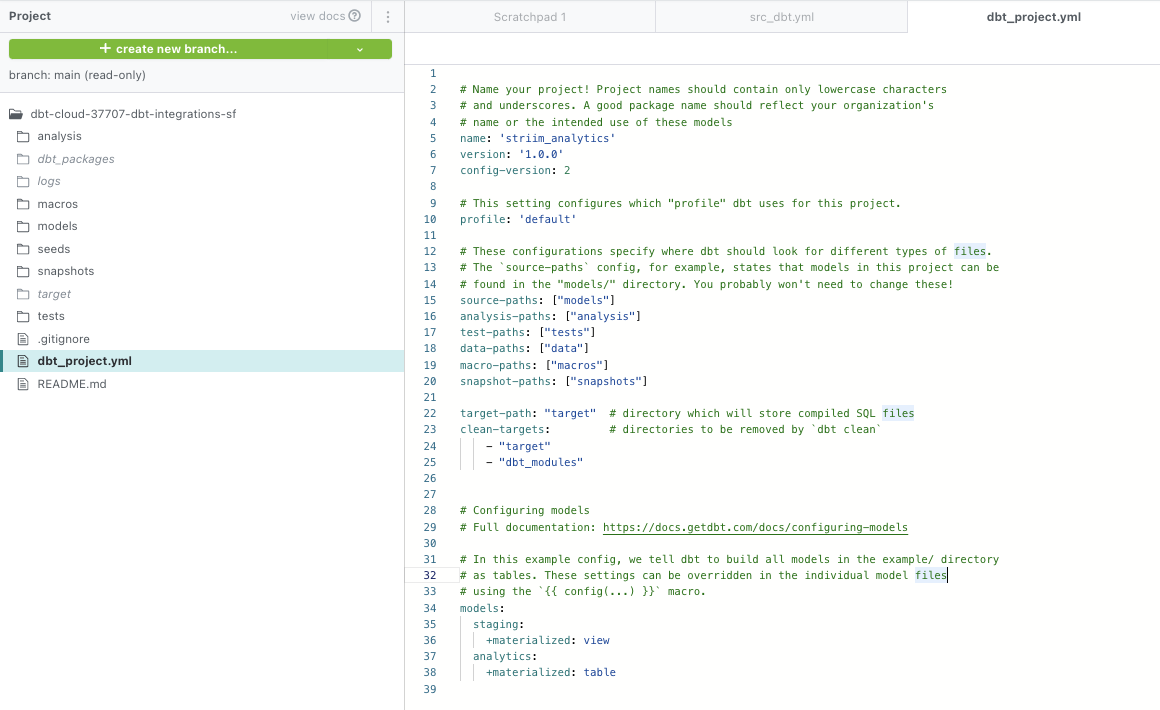
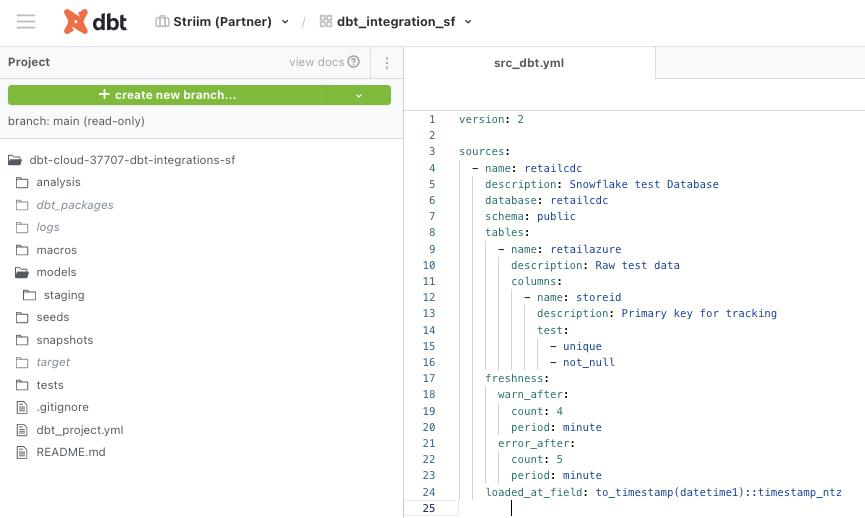
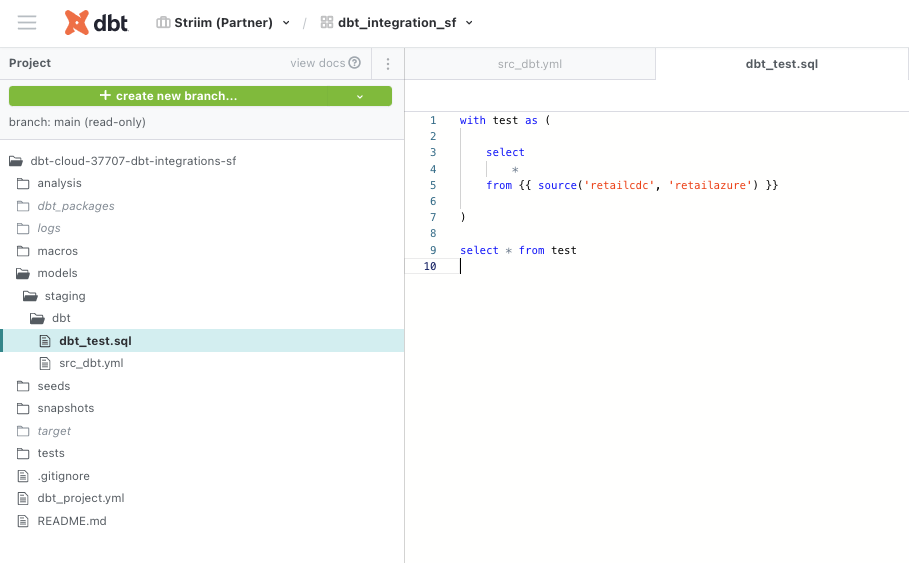
The dbt_project.yml, model yaml files and sql staging files for this project were configured as follows. Please follow this github repo to download the code.
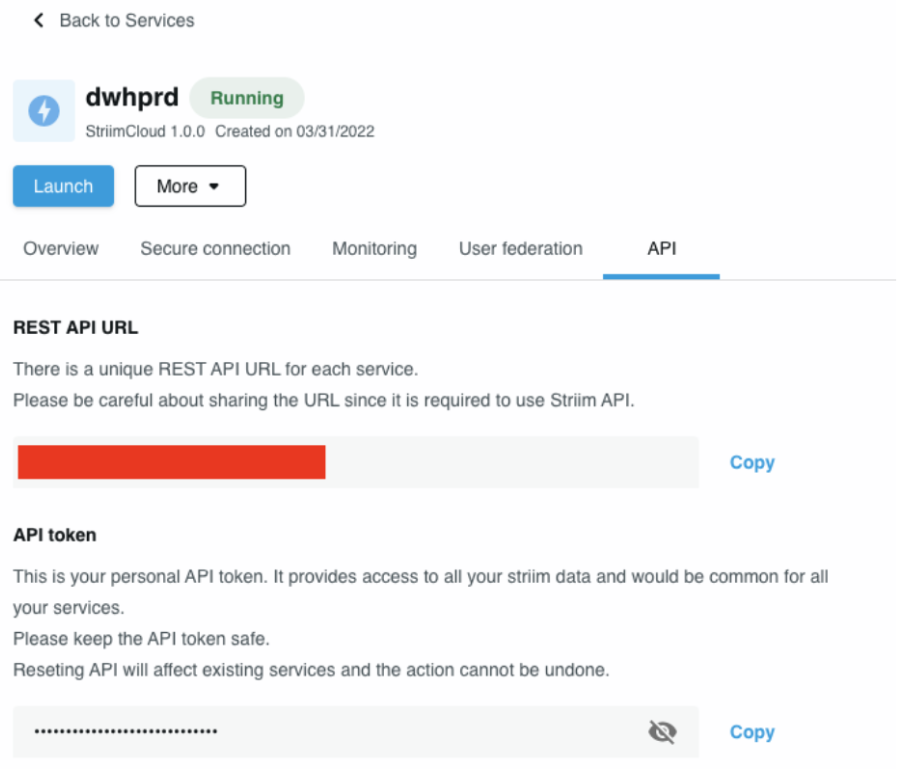
Step 4: Add Striim’s service API in the Python Script to fetch Striim app’s metadata
We will use python script to ping Striim’s service API to gather metadata from the Striim app. The metadata is compared against benchmarks to determine the SLAs defined for the project. The python script for this project can be downloaded from here.
In the python script, enter the REST API URL as connection url and source name in payload.
Step 5: Run the Python Script
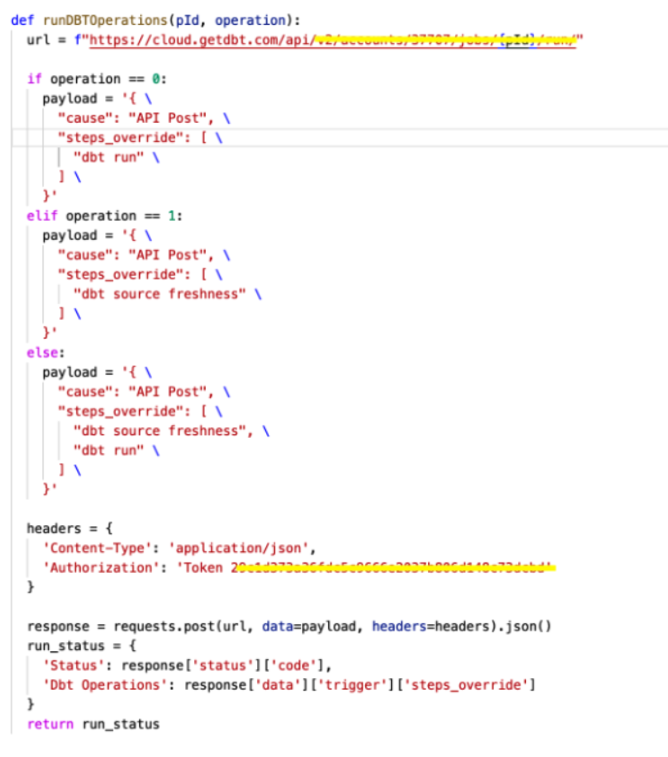
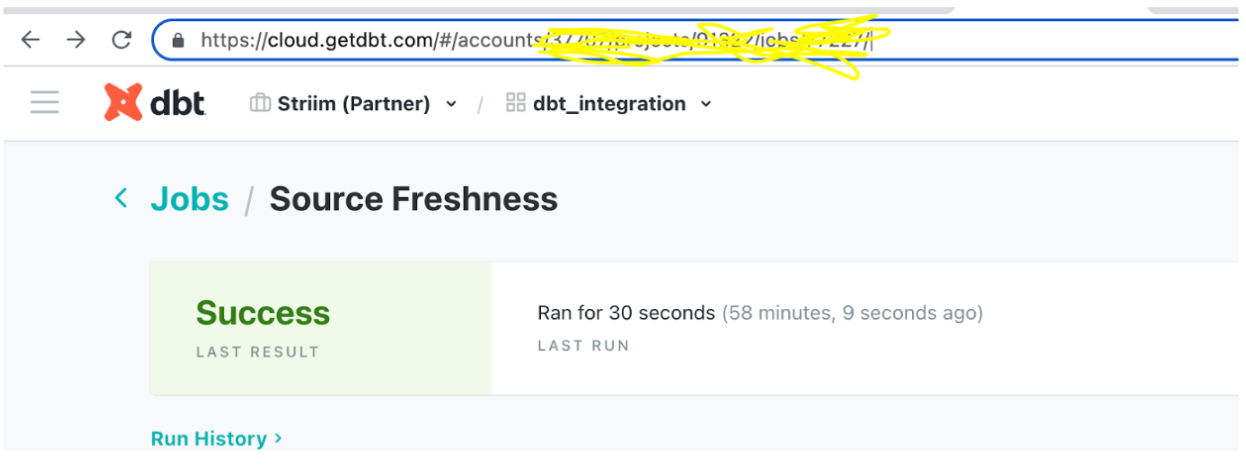
Once the dbt project is set up, the python script that hits the Striim Cloud Service url to get the metadata from striim server acts as a trigger to run dbt transformation and monitoring. To hit the dbt cloud API, the following commands are used. The account id and job id can be retrieved from dbt cloud url. The authorization token can be found under API access on the left navigation bar.
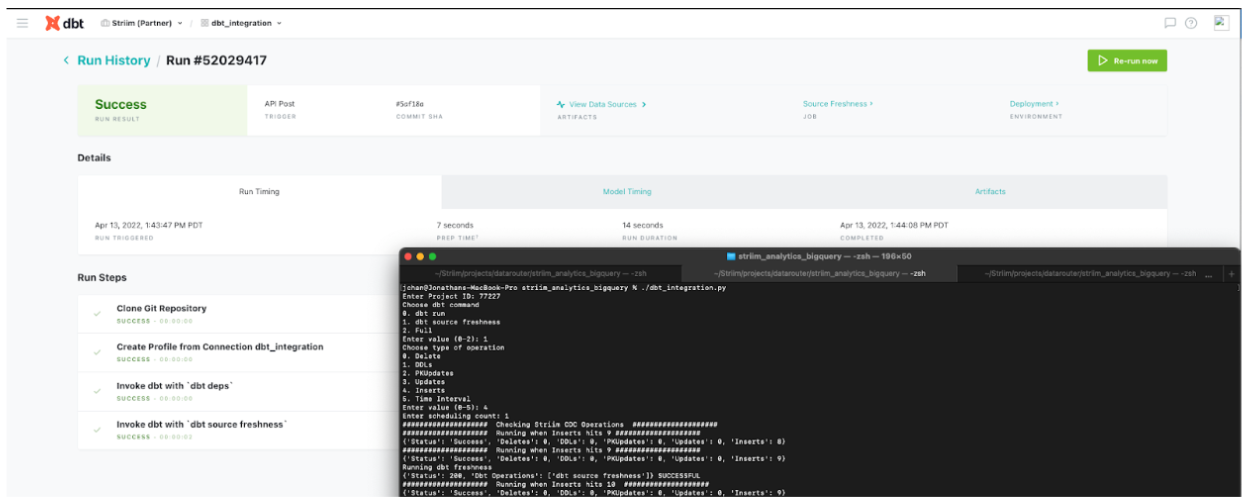
The following snapshots are from the dbt run that shows the inserts and source data freshness.
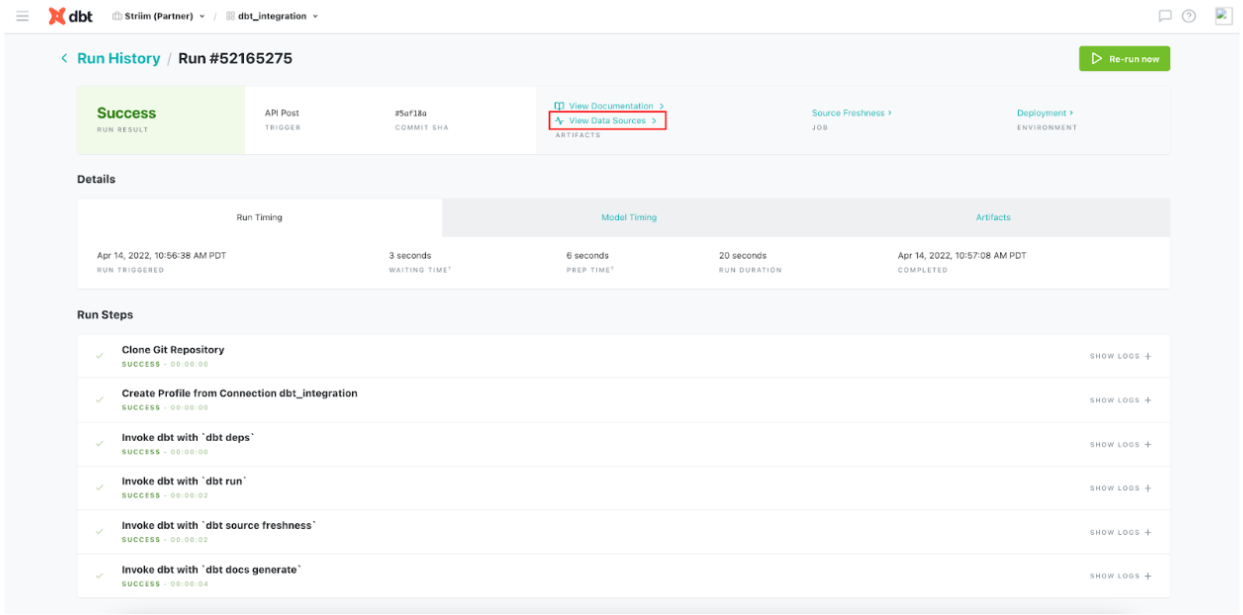
Follow this document to enable source freshness of the real time data flowing from PostgreSQL through Striim to BigQuery. The source freshness snapshots can be checked under view data source.
Video Walkthrough
Here is the video showing all the dbt run for the above tutorial.
https://www.youtube.com/watch?v=udzlepBexTM
Setting Up dbt and Striim
Step 1: Configure your dbt project
Configure your project on cloud managed repository in dbt cloud as shown in the recipe
Step 2: Edit the Python Script
Download the Python Script from our github repository and configure the endpoints
Step 3: Download TQL file
Download the TQL file and dataset from github repo and configure your source and target
Step 4: Run the Striim app
Deploy and run the Striim app for data replication
Step 5: Run the Python script
Run the Python Script and enable source freshness on dbt to monitor data SLAs
Wrapping Up: Start Your Free Trial
Our tutorial showed you how a striim app can run with dbt, an open source data transformation and monitoring tool. With this feature you can monitor your data without interrupting the real-time streaming through Striim. dbt can be used with popular adapter plugins like PostgreSQL, Redshift, Snowflake and BigQuery, all of which are supported by Striim. With Striim’s integration with major databases and data warehouses and powerful CDC capabilities, data streaming and analytics becomes very fast and efficient.
As always, feel free to reach out to our integration experts to schedule a demo, or try Striim for free here.
Tools you need
Striim
Striim’s unified data integration and streaming platform connects clouds, data and applications.
Snowflake
Snowflake is a cloud-native relational data warehouse that offers flexible and scalable architecture for storage, compute and cloud services.
PostgreSQL
PostgreSQL is an open-source relational database management system.
dbt cloud
dbt™ is a transformation workflow that lets teams quickly and collaboratively deploy analytics code following software engineering best practices like modularity, portability, CI/CD, and documentation.
Integrate Striim for data streaming in your containerized application
Benefits
Manage Scalable Applications
Integrate Striim with your application inside Kubernetes Engine
Capture Data Updates in real time
Use Striim’s postgrescdc reader for real time data updates
Build Real-Time Analytical ModelsUse the power of Real Time Data Streaming to build Real-Time analytical and ML models
On this page
Overview
Kubernetes is a popular tool for creating scalable applications due to its flexibility and delivery speed. When you are developing a data-driven application that requires fast real-time data streaming, it is important to utilize a tool that does the job efficiently. This is when
Striim patches into your system. Striim is a unified data streaming and integration product that offers change capture (CDC) enabling continuous replication from popular databases such as Oracle, SQLServer, PostgreSQL and many others to target data warehouses like BigQuery and Snowflake.
In this tutorial we have shown how to run a Striim application in Kubernetes cluster that streams data from Postgres to Bigquery in real time. We have also discussed how to monitor and access Striim’s logs and poll Striim’s Rest API to regulate the data stream.
Core Striim Components
PostgreSQL CDC: PostgreSQL Reader uses the wal2json plugin to read PostgreSQL change data. 1.x releases of wal2jon can not read transactions larger than 1 GB.
Stream: A stream passes one component’s output to one or more other components. For example, a simple flow that only writes to a file might have this sequence
BigQueryWriter: Striim’s BigQueryWriter writes the data from various supported sources into Google’s BigQuery data warehouse to support real time data warehousing and reporting.
Step 1: Deploy Striim on Google Kubernetes Engine
Follow the steps below to configure your Kubernetes cluster and start the required pods:
Create a cluster on GKE that will run the Striim-node and striim-metadata pods.
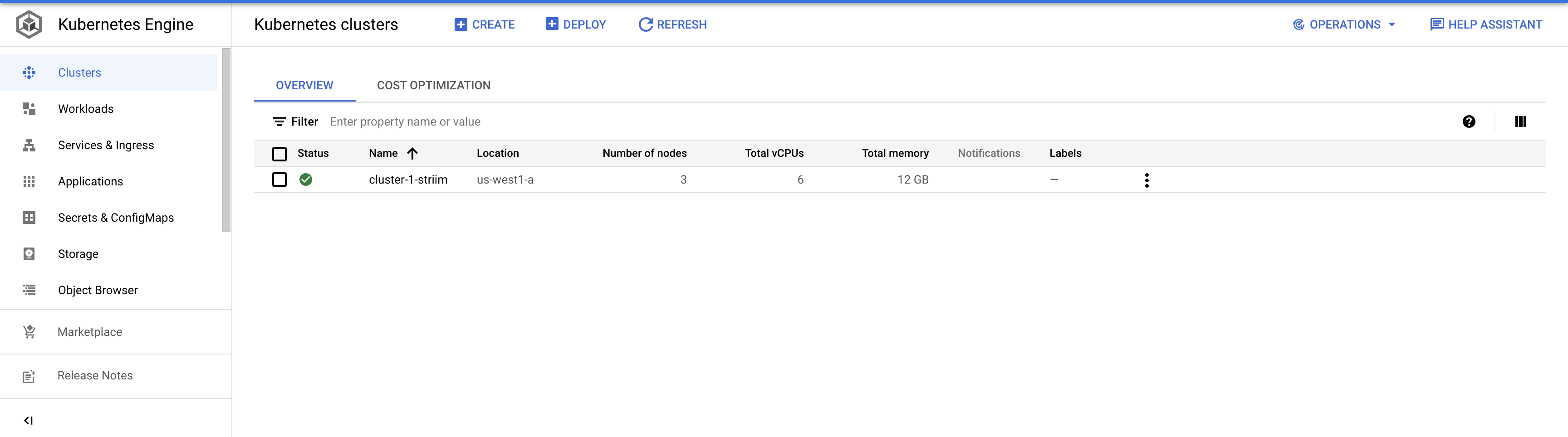
On your GKE, click clusters and configure a cluster with the desired number of nodes. Once the cluster is created, run the following command to connect the cluster.
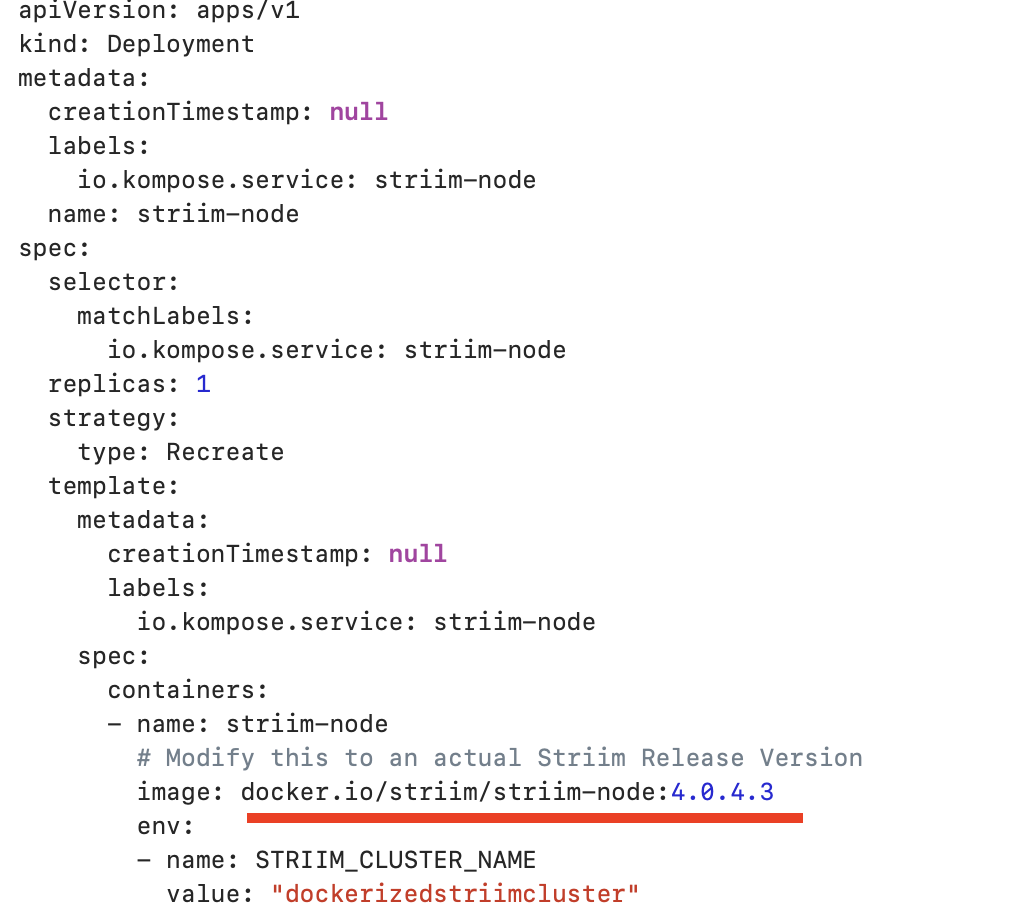
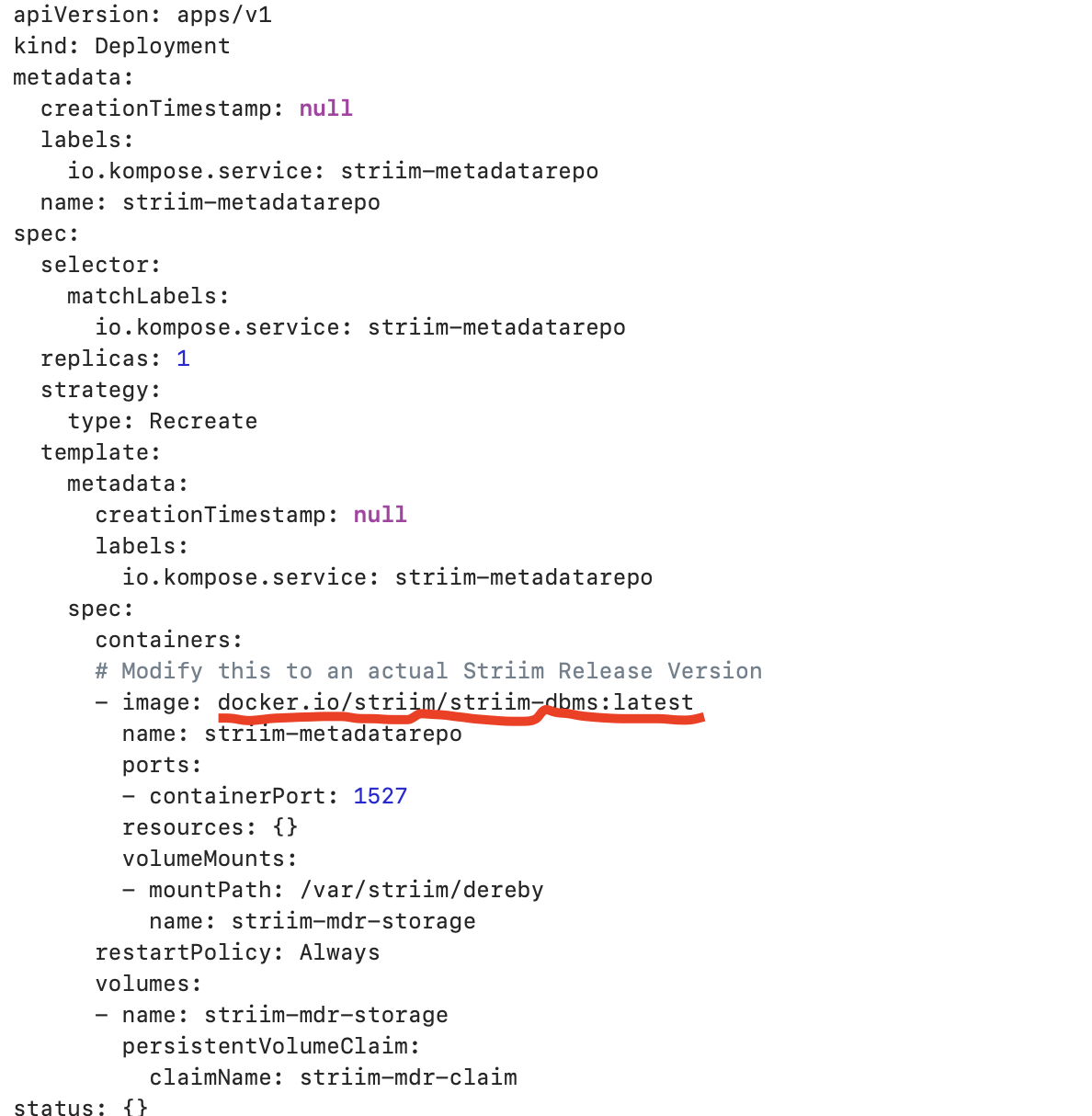
Configure the yaml file to run docker container inside K8 cluster.You can find a sample yaml file here that deploys striim-node and metadata containers. Modify the tags of striim-dbms and striim-node image with
the latest version as shown below. Modify COMPANY_NAME, FIRST_NAME, LAST_NAME and COMPANY_EMAIL_ADDRESS for the 7-days free trial use or if you have a license key, you can modify the license key section from yaml file.
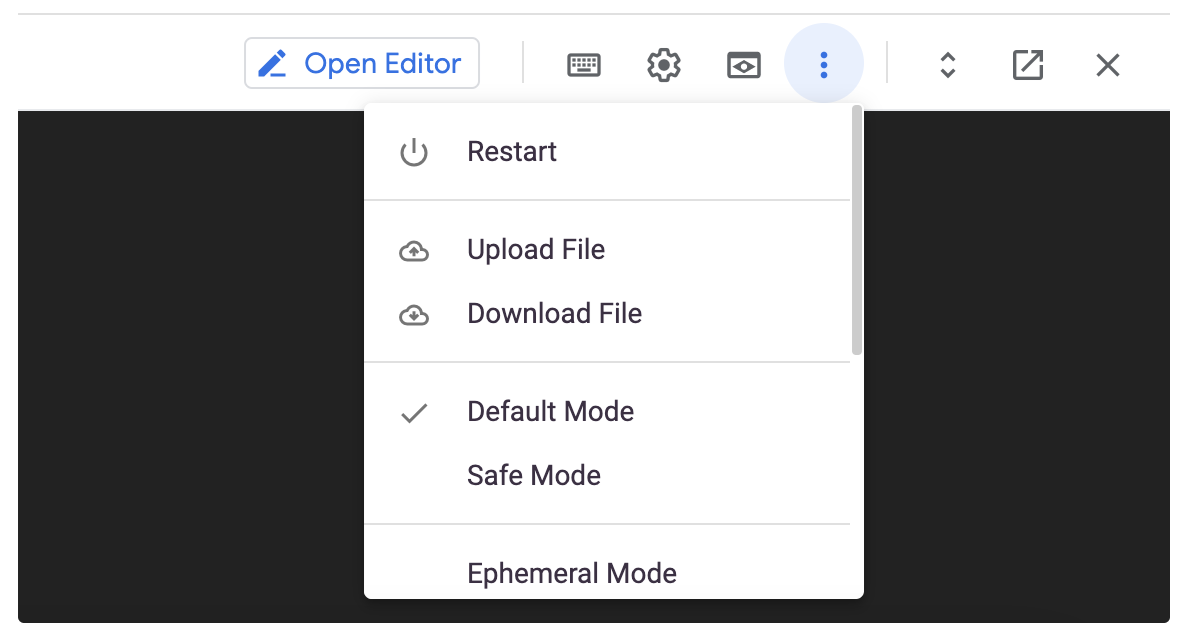
Upload the yaml file to your google cloud.
Run the following command to deploy with the yaml file. The pods will take some time to start and run successfully:
kubectl create -f {YAML_FILE_NAME>
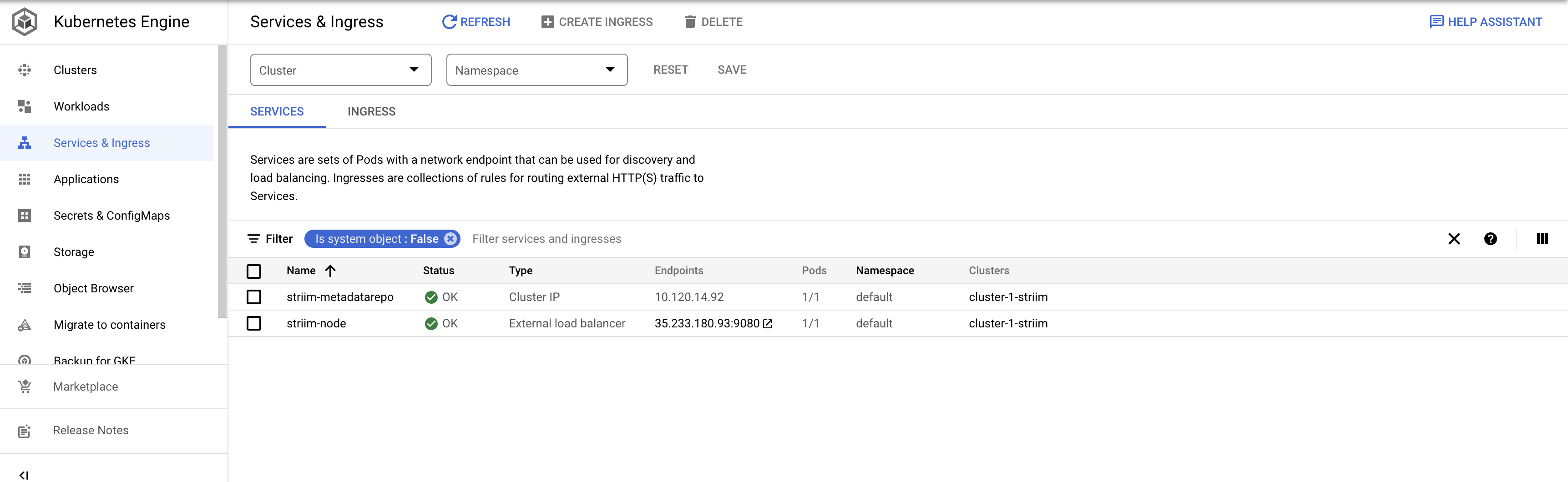
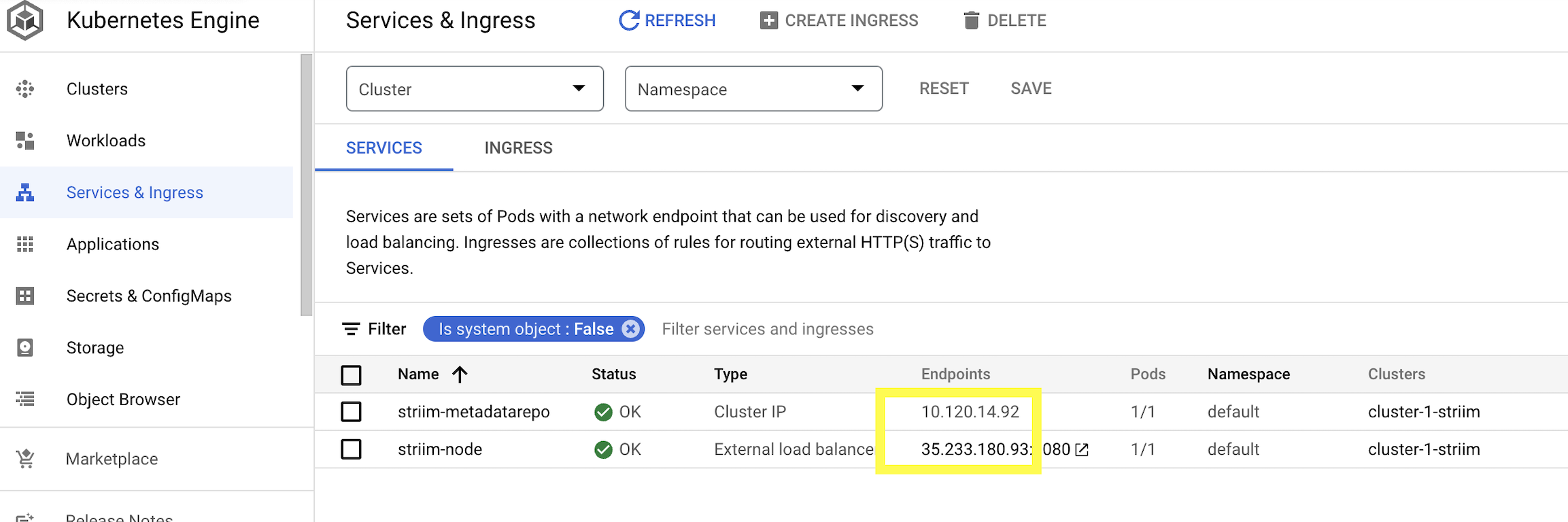
Go to Services & Ingress to check if the pods are created successfully. The OK status indicate the pods are up and running
Step 2: Configure the KeyStore Password
Enter the pod running Striim-node by running the following command.
Kubectl logs {striim-node-***pod name}
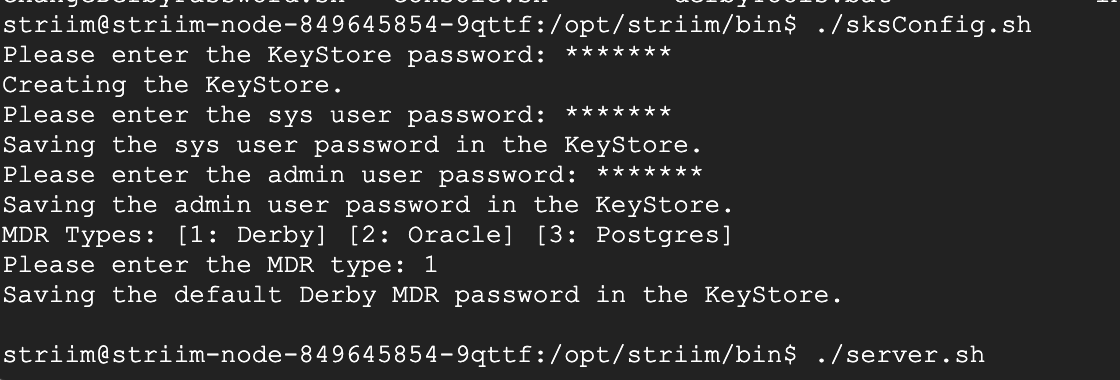
Enter the directory /opt/striim/bin/ and run the sksConfig.sh file to set the KeyStore passwords.
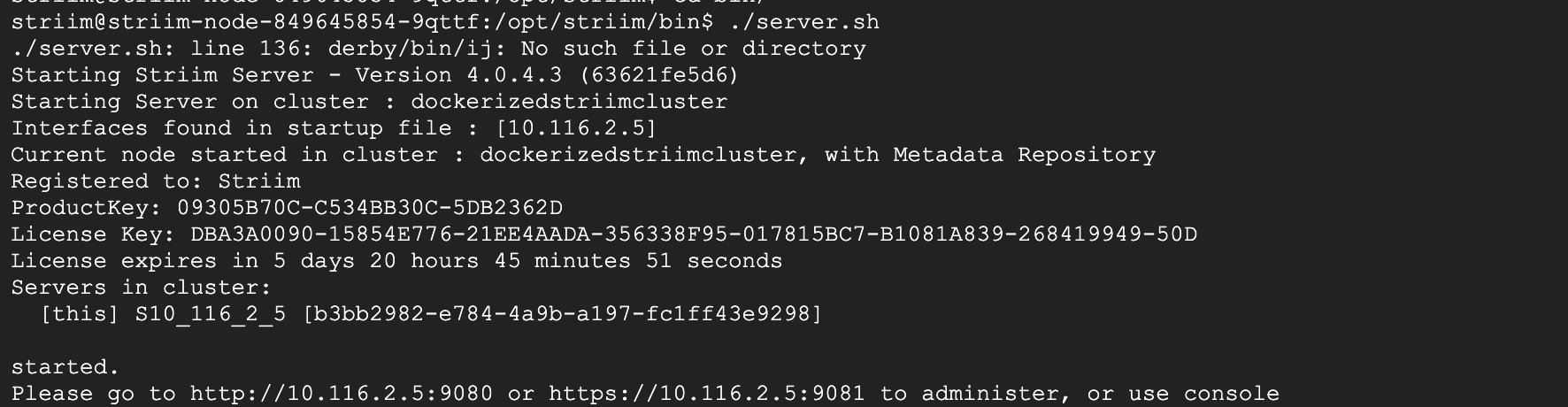
Run the server.sh file to launch Striim server through the K8 cluster. When prompted for cluster name, enter dockerizedstriimcluster or the name of cluster from yaml file.
Step 3: Access Striim Server UI
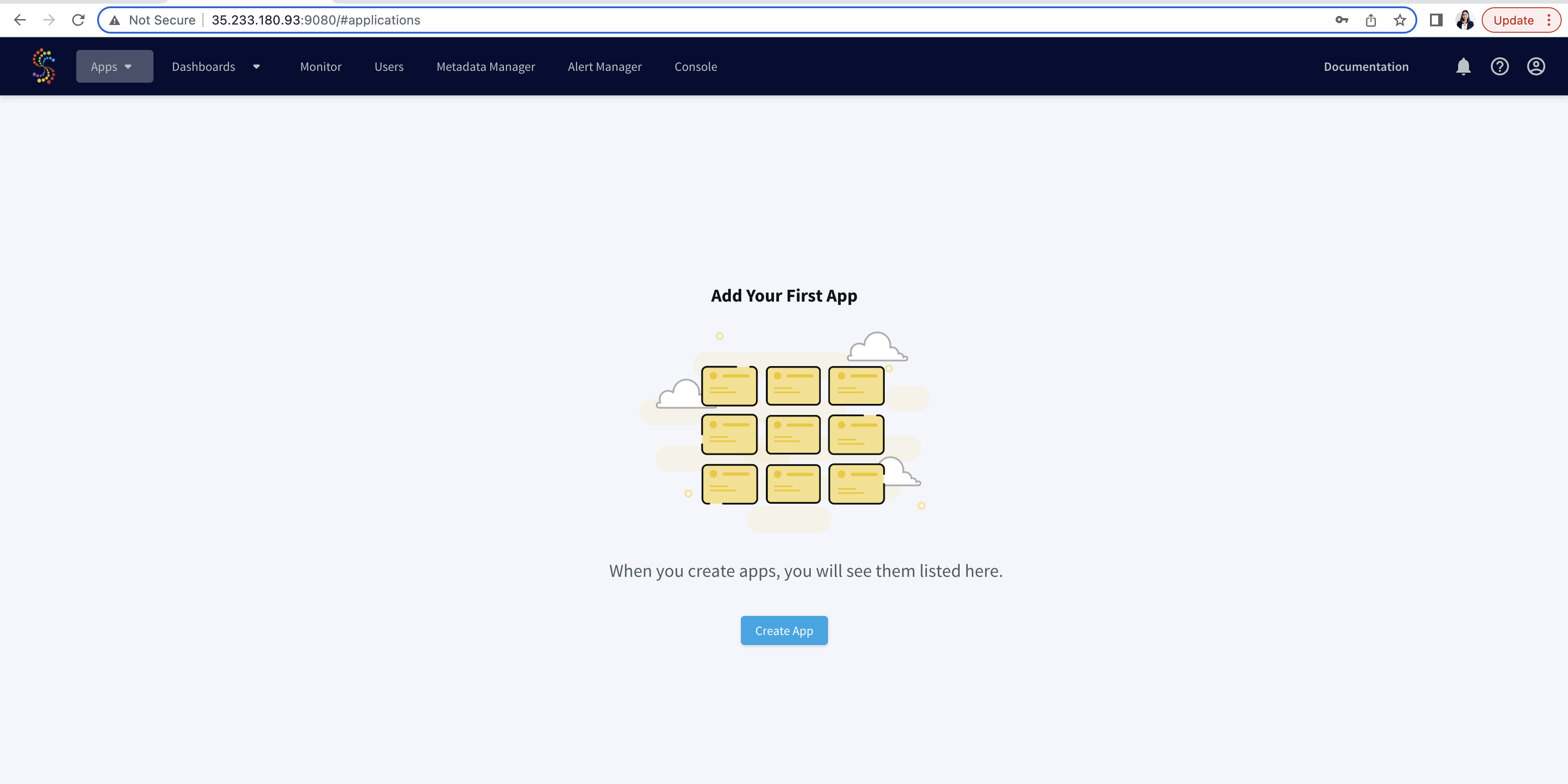
To create and run data streaming applications from UI, click on the Endpoint of strim-node as shown below. This will redirect you to Striim User Interface.
Step 4: Create and Run the postgres CDC to BigQuery streaming App
Once you are in the UI, you can follow the same steps shown in this recipe to create a postgres to Bigquery streaming app from wizard.
Monitoring Event logs and Polling Striim’s Rest API
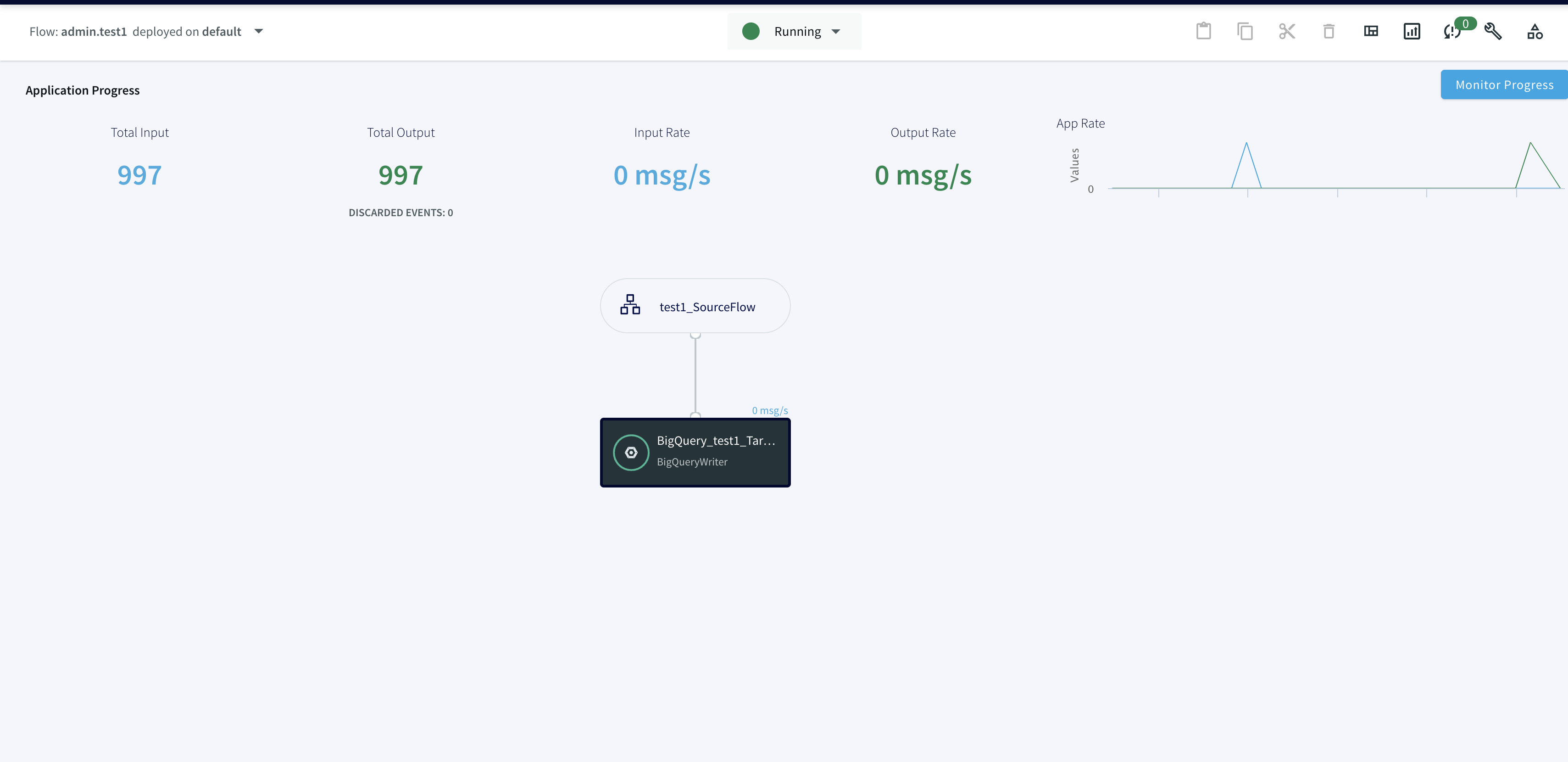
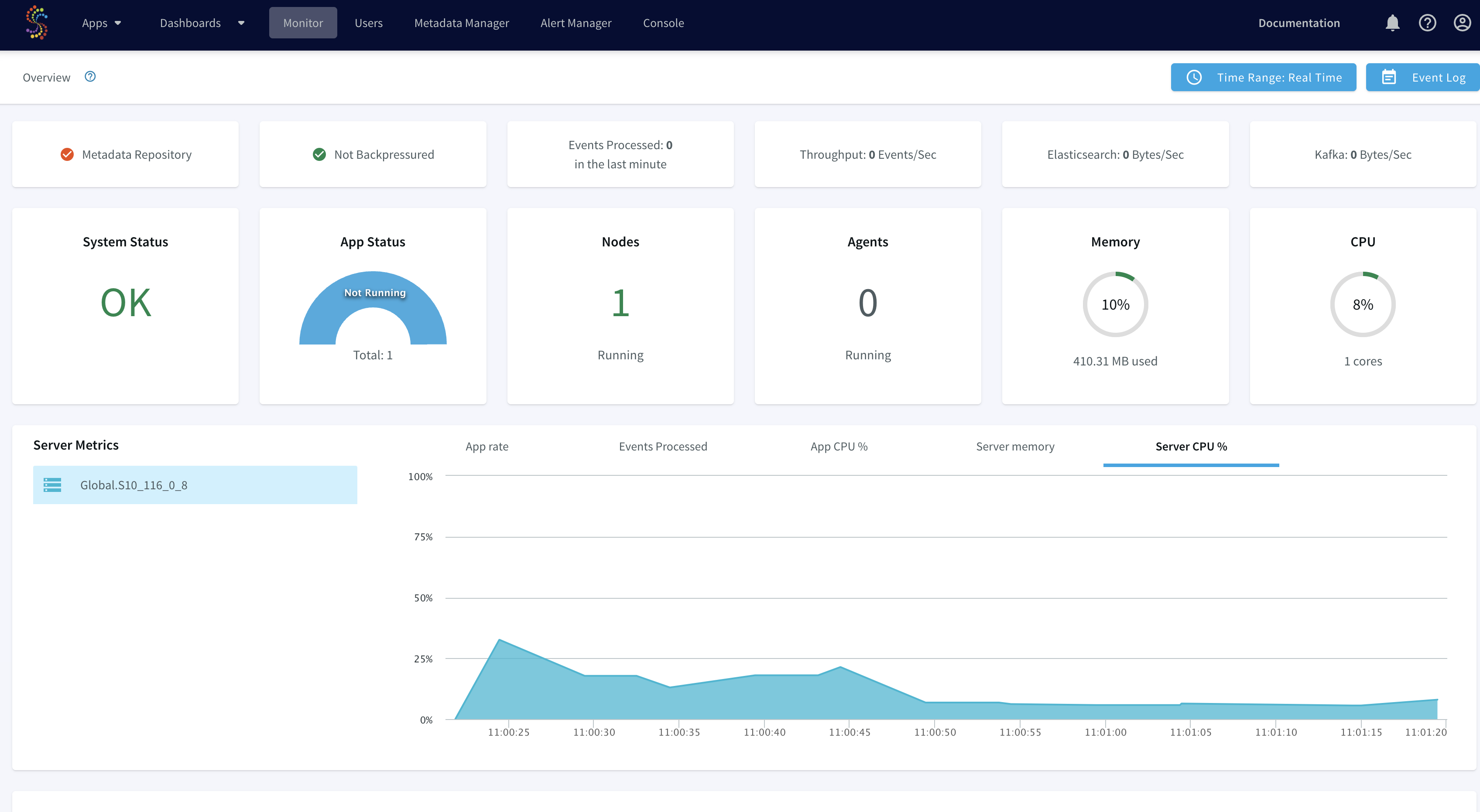
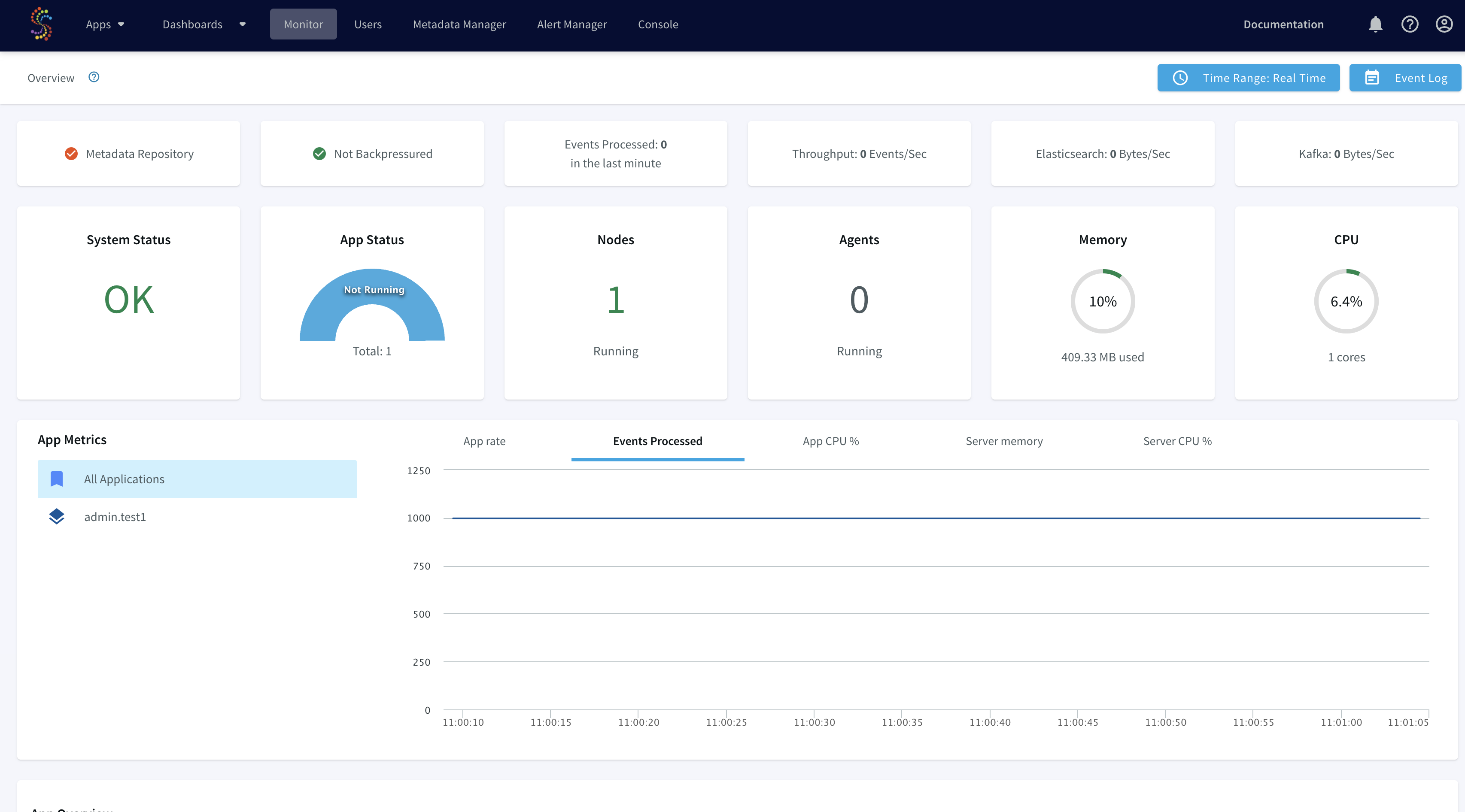
You can use the Monitor page in the web UI to retrieve summary information for the cluster and each of its applications, servers and agent. To learn more about the monitoring guide, please refer to this documentation.
You can also poll Striim’s rest API to access the data stream for monitoring the SLAs of data flow. For example, integrating the application with dbt to ensure if source data freshness is meeting the SLAs defined for the project. An authentication token must be included in
all REST API calls using the
token parameter. You can get a token using any REST client. The CLI command to request a token is:.
curl -X POST -d'username=admin&password=******' http://{server IP}:9080/security/authenticate</code> gcloud container clusters get-credentials</code>

curl -X POST

-d'username=admin&password=******' http://34.127.3.58:9080/security/authenticate

{"token":"01ecc591-****-1fe1-9448-4640d**0e52*"}sweta_prabha@cloudshell:~ (striim-growth-team)$

</code>
To learn more about Striim’s Rest API, refer to the API guide, r from Striim’s documentation.
Deploying Striim on Google Kubernetes Engine
Step 1: Deploy Striim on Google Kubernetes using YAML file
You can find the YAML file here. Make necessary changes to deploy Striim on Kubernetes
Step 2: Configure the KeyStore Password
Please follow the recipe to configure keystore password
Step 3: Create the Striim app on Striim server deployed using Kubernetes
Use the app wizard from UI to create a Striim app as shown in the recipe
Step 4: Run the Striim app
Deploy and run real-time data streaming app
Wrapping Up: Start Your Free Trial
Our tutorial showed you how a striim app can be run and deployed in Google Kubernetes cluster, a widely used container orchestration tool. Now you can integrate Striim with scalable applications managed within K8 clusters. With Striim’s integration with major
databases
and data warehouses and powerful CDC capabilities, data streaming and analytics becomes very fast and efficient.
As always, feel free to reach out to our integration experts to schedule a demo, or try Striim for free here.
Tools you need
Striim
Striim’s unified data integration and streaming platform connects clouds, data and applications.
PostgreSQL
PostgreSQL is an open-source relational database management system.
Kubernetes
Kubernetes is an open-source container orchestration tool for automatic deployment and scaling of containerized applications.
Google BigQuery
BigQuery is a serverless, highly scalable multicloud data warehouse.
Replicate data from PostgreSQL to Snowflake in real time with Change Data Capture
Stream data from PostgreSQL to Snowflake
Benefits
Operational Analytics
Visualize real time data with Refresh View on Snowflake
Capture Data Updates in real time
Use Striim’s PostgreSQL CDC reader for real-time data replication
Build Real-Time Analytical ModelsUse dbt to build Real-Time analytical and ML models
On this page
Overview
Striim is a unified data streaming and integration product that offers change capture (CDC) enabling continuous replication from popular databases such as Oracle, SQLServer, PostgreSQL and many others to target data warehouses like BigQuery and Snowflake.
Change Data Capture is a critical process desired by many companies to stay up to date with most recent data. This enables efficient real-time decision making which is important for stakeholders. Striim platform facilitates simple to use, real-time data
integration, replication, and analytics with cloud scale and security.
In this tutorial, we will walk you through a use case where data is replicated from PostgreSQL to Snowflake in real time. Change events are extracted from a PostgreSQL database as they are created and then streamed to Snowflake hosted on Microsoft Azure. Follow this recipe to learn how to secure your data pipeline by creating an SSH tunnel on Striim cloud through a jump host.
Core Striim Components
PostgreSQL CDC: PostgreSQL Reader uses the wal2json plugin to read PostgreSQL change data. 1.x releases of wal2jon can not read transactions larger than 1 GB.
Stream: A stream passes one component’s output to one or more other components. For example, a simple flow that only writes to a file might have this sequence
Snowflake Writer: Striim’s Snowflake Writer writes to one or more existing tables in Snowflake. Events are staged to local storage, Azure Storage, or AWS S3, then written to Snowflake as per the Upload Policy setting.
Step 1: Launch Striim Server and connect the Postgres instance with replication attribute
Please refer to postgres CDC to BigQuery recipe to learn how to create a replication user and replication slot for the postgres database and tables. Striim collaborates with Snowflake to provide Striim’s cloud service through Snowflake’s partner connect.
Follow the steps below to connect Striim server to postgres instance containing the source database:
Launch Striim in Snowflake Partner Connect by clicking on “Partner Connect” in the top right corner of the navigation bar.
In the next window, you can launch Striim and sign up for a free trial.
Create your first Striim Service to move data to Snowflake.
Launch the new service and use app wizard to stream data from PostgresCDC to Snowflake and Select Source and Target under create app from wizard:
Give a name to your app and establish the connection between striim server and postgres instance .
Step 1 :
Hostname: IP address of postgres instance
Port : For postgres, port is 5432
Username & Password: User with replication attribute that has access to source database
Database Name: Source Database
Step 2 :The wizard will check and validate the connection between source to striim server
Step 3 :Select the schema that will be replicated
Step 4 :The selected schema is validated
Step 5 :Select the tables to be streamed
Step 2: Configure the target (Snowflake on Azure Cloud)
Once the connection with the source database and tables is established, we will configure the target where the data is replicated to.
The connection url has the following format: jdbc:snowflake://YOUR_HOST-2.azure.snowflakecomputing.com:***?warehouse=warehouse_name &db=RETAILCDC&schema=public
Step 3: Deploy and Run the Striim app for Fast Data Streaming
After the source and targets are configured and connection is established successfully, the app is ready to stream change data capture on the source table and replicate it onto the target snowflake table. When there is an
update on the source table, the updated data is streamed through striim app to the target table on snowflake.
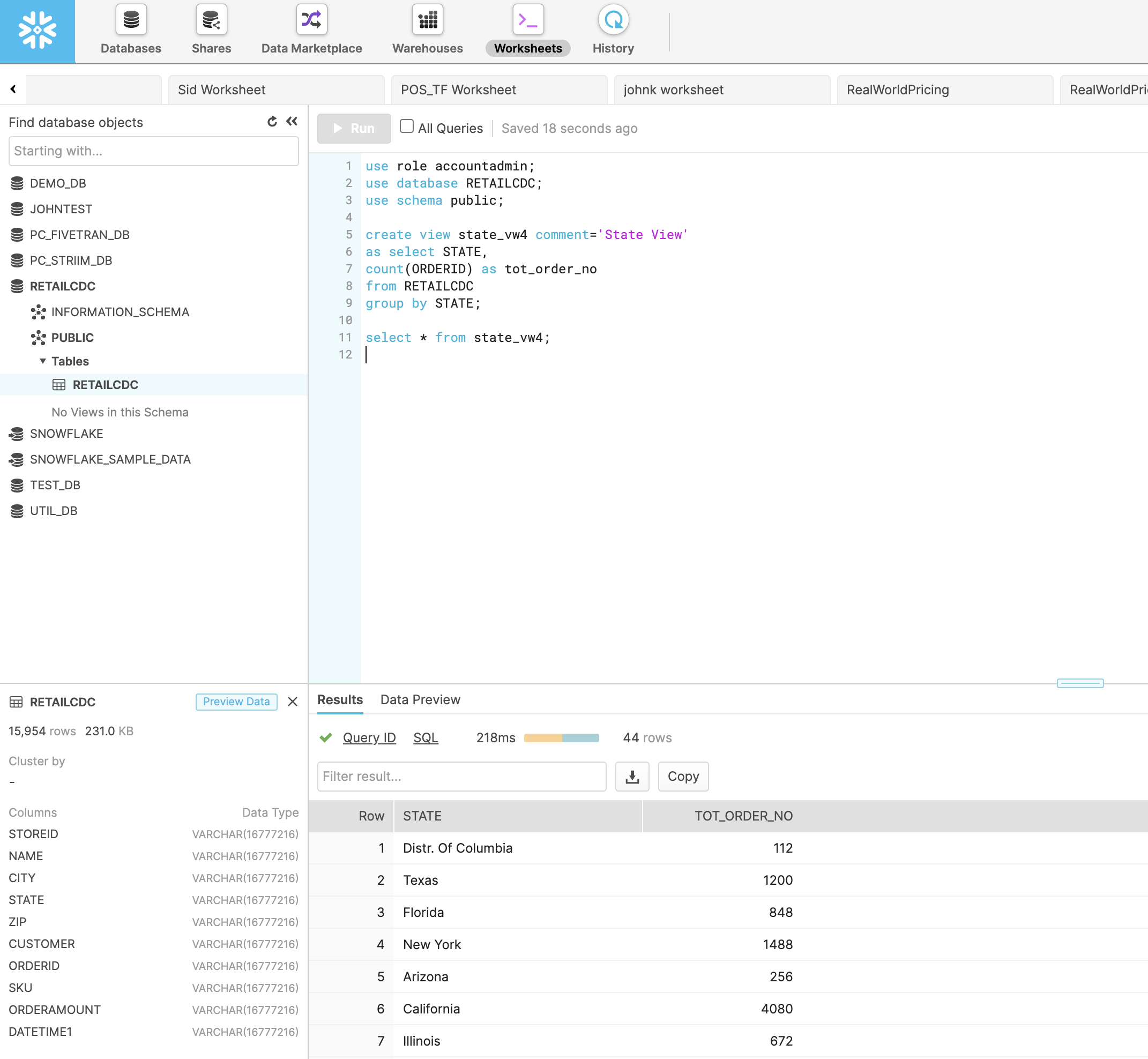
Step 4: Refresh View on Snowflake
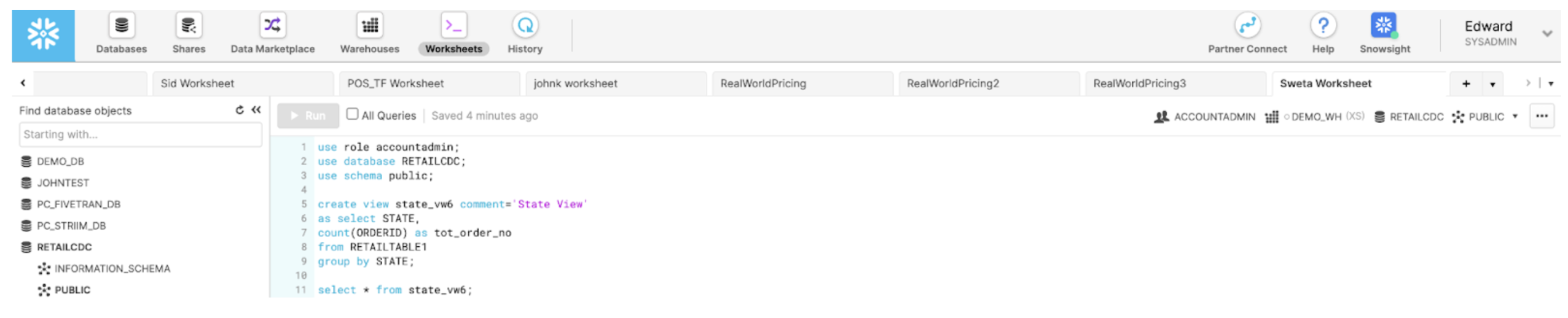
With Striim as the data streaming platform, real-time analytics can be done on target databases. In snowflake, you can write a query for refresh view of the incoming data in real-time. In this tutorial, a view is created that aggregates the total number of orders in each state at any given time.
Video Walkthrough
Here is the video showing all the steps in streaming Change Data from postgres to Snowflake and refresh view of updated data on snowflake.
Setting Up Postgres to Snowflake Streaming Application
Step 1: Download the data and Sample TQL file from our github repo
You can download the TQL files for streaming app our github repository. Deploy the Striim app on your Striim server.
Step 2: Configure your Postgres source and Snowflake target and add it to the source and target components of the app
Set up your source and target and add the details in striim app
Step 3: Run the app for fast Data Streaming
Deploy your streaming app and run it for real-time data replication
Step 4: Set up refresh view in Snowflake
Follow the recipe to write a query for refresh view of real-time data
Wrapping Up: Start Your Free Trial
Our tutorial showed you how easy it is to stream data from PostgreSQL CDC to Snowflake, a leading cloud data warehouse and do real-time analytics with a refresh view. By constantly moving your data into BigQuery, you could now start building analytics or machine learning models on top, all with minimal impact to your current systems. You could also start ingesting and normalizing more datasets with Striim to fully take advantage of your data.
As always, feel free to reach out to our integration experts to schedule a demo, or try Striim for free here.
Tools you need
Striim
Striim’s unified data integration and streaming platform connects clouds, data and applications.
PostgreSQL
PostgreSQL is an open-source relational database management system.
Snowflake
Snowflake is a cloud-native relational data warehouse that offers flexible and scalable architecture for storage, compute and cloud services.
Whether you’re a traveler waiting for your ride-share, or a large retailer keeping an eye on potential supply chain disruptions, hours-old or days-old data is obsolete. For real-time insights and experiences you need real-time analytics, powered by streaming data pipelines. But how can you build your first streaming data pipeline, as quickly and seamlessly as possible?
Join us for a live webinar with Steve Wilkes (Striim Co-Founder and CTO), where he will demystify streaming data pipelines and cover topics including:
What’s behind the explosive growth in real-time analytics (and why market-leading companies have adopted real time as the status quo)
How to build real-time data streaming pipelines quickly, reliably, and at unlimited scale
Why real-time data integration is an essential component of a streaming data pipeline
Customer examples showing how streaming data pipelines enable companies to make informed decisions in real time
We sit down with Bruno Aziza – Head of Analytics at Google Cloud – To discuss the latest trends in data such as data mesh, data governance, and the real-world value of real-time data.
Stream Data from PostgreSQL to Google BigQuery with Striim Cloud – Part 2
Use Striim Cloud to stream CDC data securely from PostgreSQL database into Google BigQuery
Benefits
Operational Analytics
Visualize real time data with Striim’s powerful Analytic Dashboard
Capture Data Updates in real time
Use Striim’s postgrescdc reader for real time data updates
Build Real-Time Analytical ModelsUse dbt to build Real-Time analytical and ML models
On this page
Overview
In part 1 of PostgreSQL to Bigquery streaming, we have shown how data can be securely replicated between Postgres database and Bigquery. In this
recipe we will walk you through a Striim application capturing change data from postgres database and replicating to bigquery for real time visualization.
In addition to CDC connectors, Striim has hundreds of automated adapters for file-based data (logs, xml, csv), IoT data (OPCUA, MQTT), and applications such as Salesforce and SAP. Our SQL-based stream processing engine makes it easy to
enrich and normalize data before it’s written to Snowflake.
Traditionally Data warehouses that required data to be transferred use batch processing but with Striim’s streaming platform data can be replicated in real-time efficiently with added cost.
Data loses its value over time and businesses need to be updated with most recent data in order to make the right decisions that are vital to overall growth.
In this tutorial, we’ll walk you through how to create a replica slot to stream change data from postgres tables to bigquery and use the in-flght data to generate analytical dashboards.
Core Striim Components
PostgreSQL CDC: PostgreSQL Reader uses the wal2json plugin to read PostgreSQL change data. 1.x releases of wal2jon can not read transactions larger than 1 GB.
Stream: A stream passes one component’s output to one or more other components. For example, a simple flow that only writes to a file might have this sequence
Continuous Query : Striim Continuous queries are are continually running SQL queries that act on real-time data and may be used to filter, aggregate, join, enrich, and transform events.
Window: A window bounds real-time data by time, event count or both. A window is required for an application to aggregate or perform calculations on data, populate the dashboard, or send alerts when conditions deviate from normal parameters.
BigQueryWriter: Striim’s BigQueryWriter writes the data from various supported sources into Google’s BigQuery data warehouse to support real time data warehousing and reporting.
Step 1: Create a Replication Slot
For this recipe, we will host our app in Striim Cloud but there is always a free trial to visualize the power of Striim’s Change Data Capture.
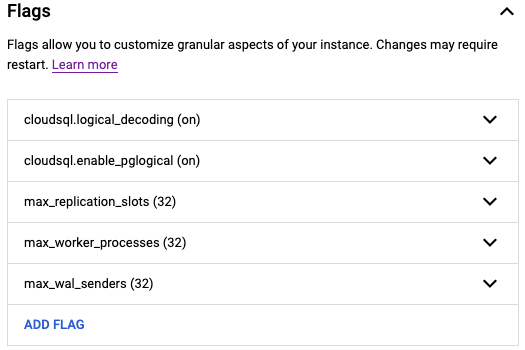
For CDC application on a postgres database, make sure the following flags are enabled for the postgres instance:
Create a user with replication attribute by running the following command on google cloud console:
CREATE USER replication_user WITH REPLICATION IN ROLE cloudsqlsuperuser LOGIN PASSWORD ‘yourpassword’;
Follow the steps below to set up your replication slot for change data capture:
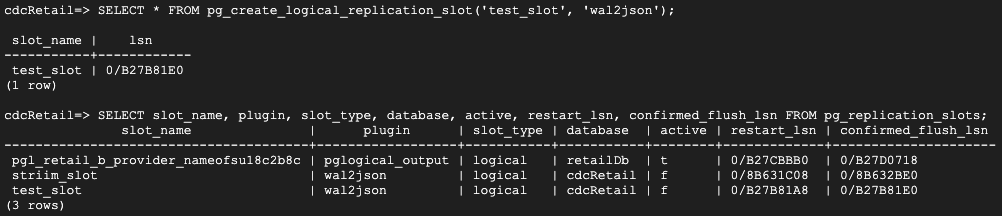
Create a logical slot with wal2json plugin.
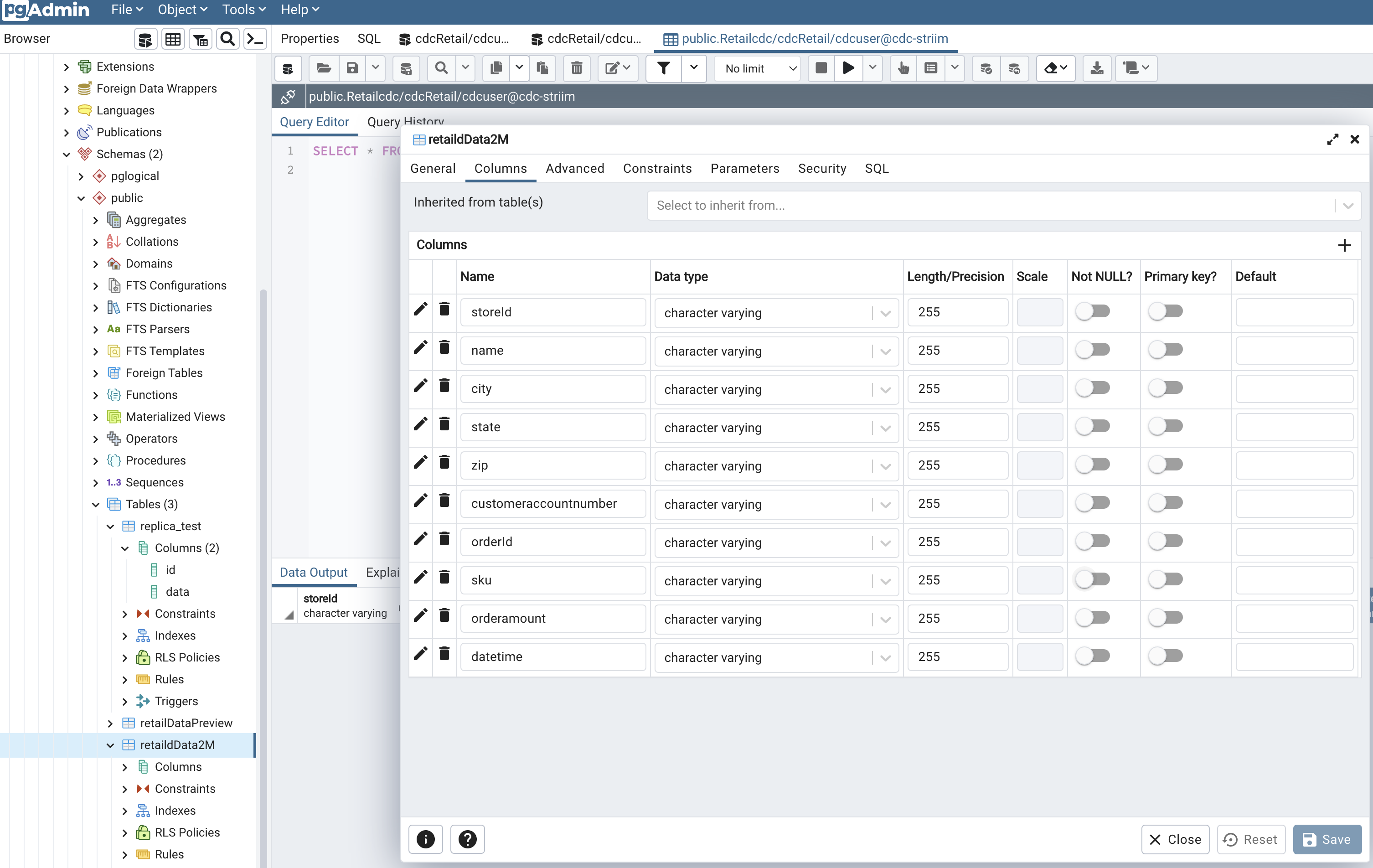
Create table that needs to be replicated for capturing changes in data. I have used PgAdmin, which is a UI for postgres database management system to create my table and insert data into it.
Step 2: Configure CDC app on Striim Server
Follow the steps described in part 1 for creating an app from scratch. You can find the TQL file for this app in our git repository.
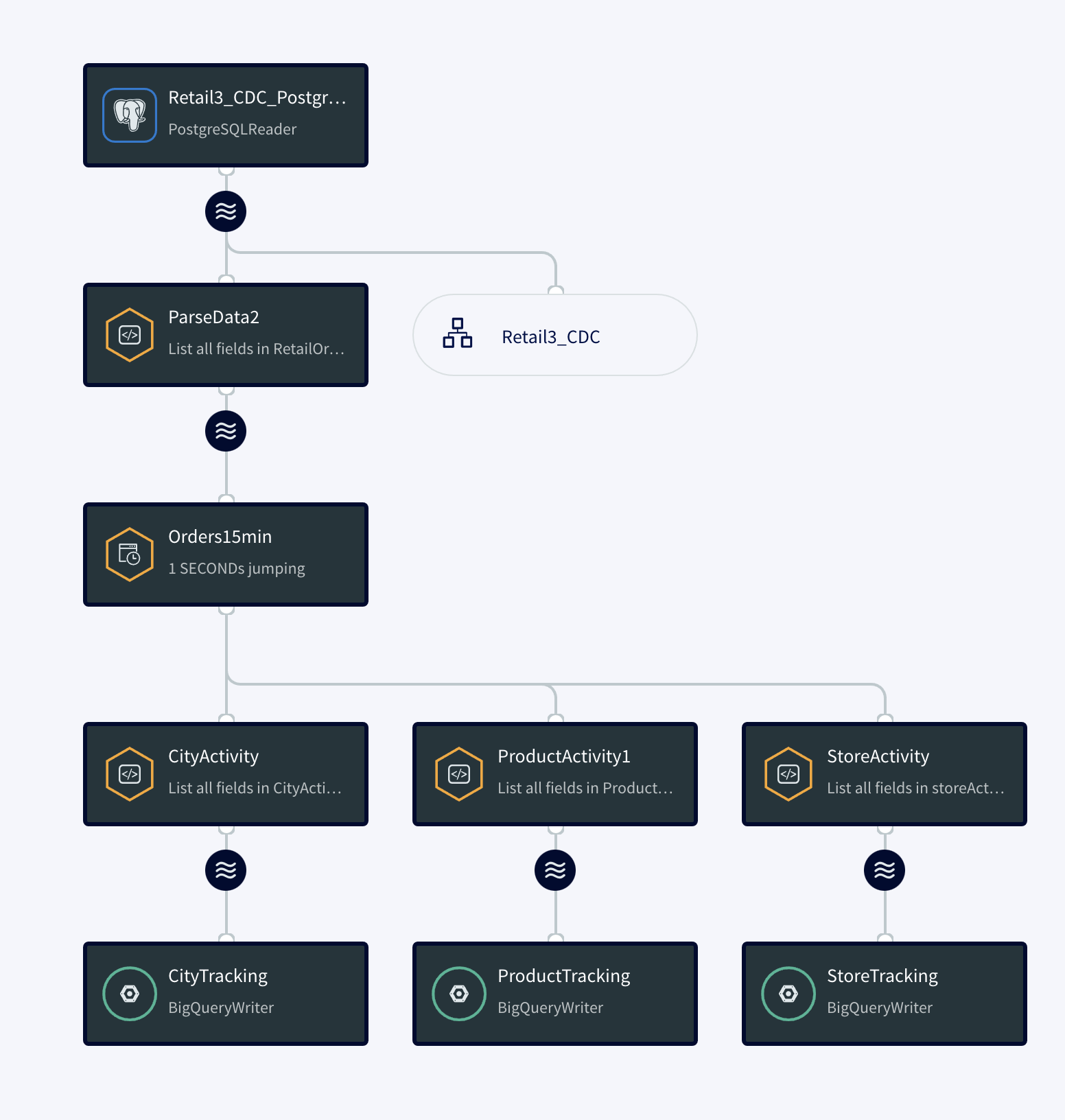
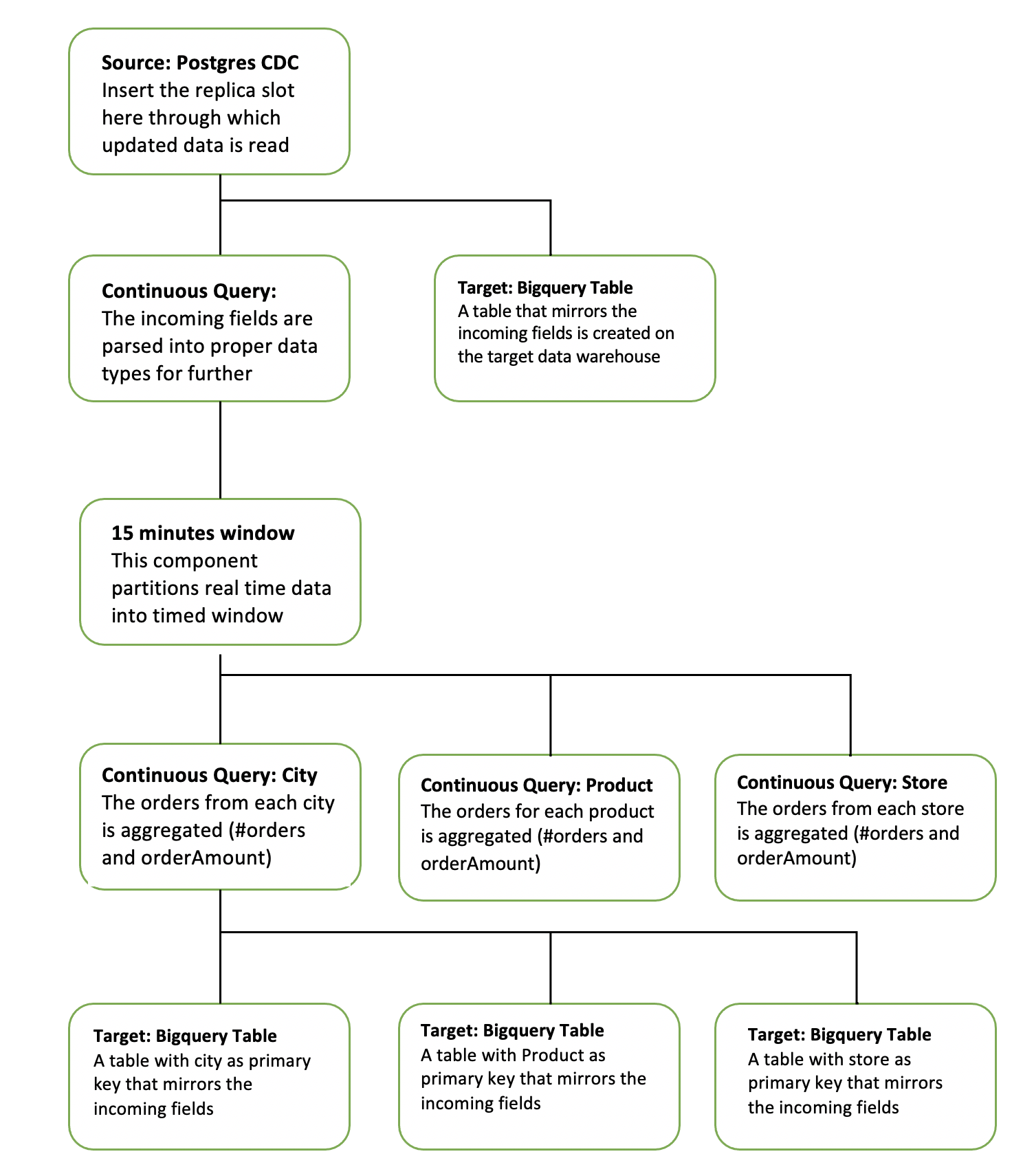
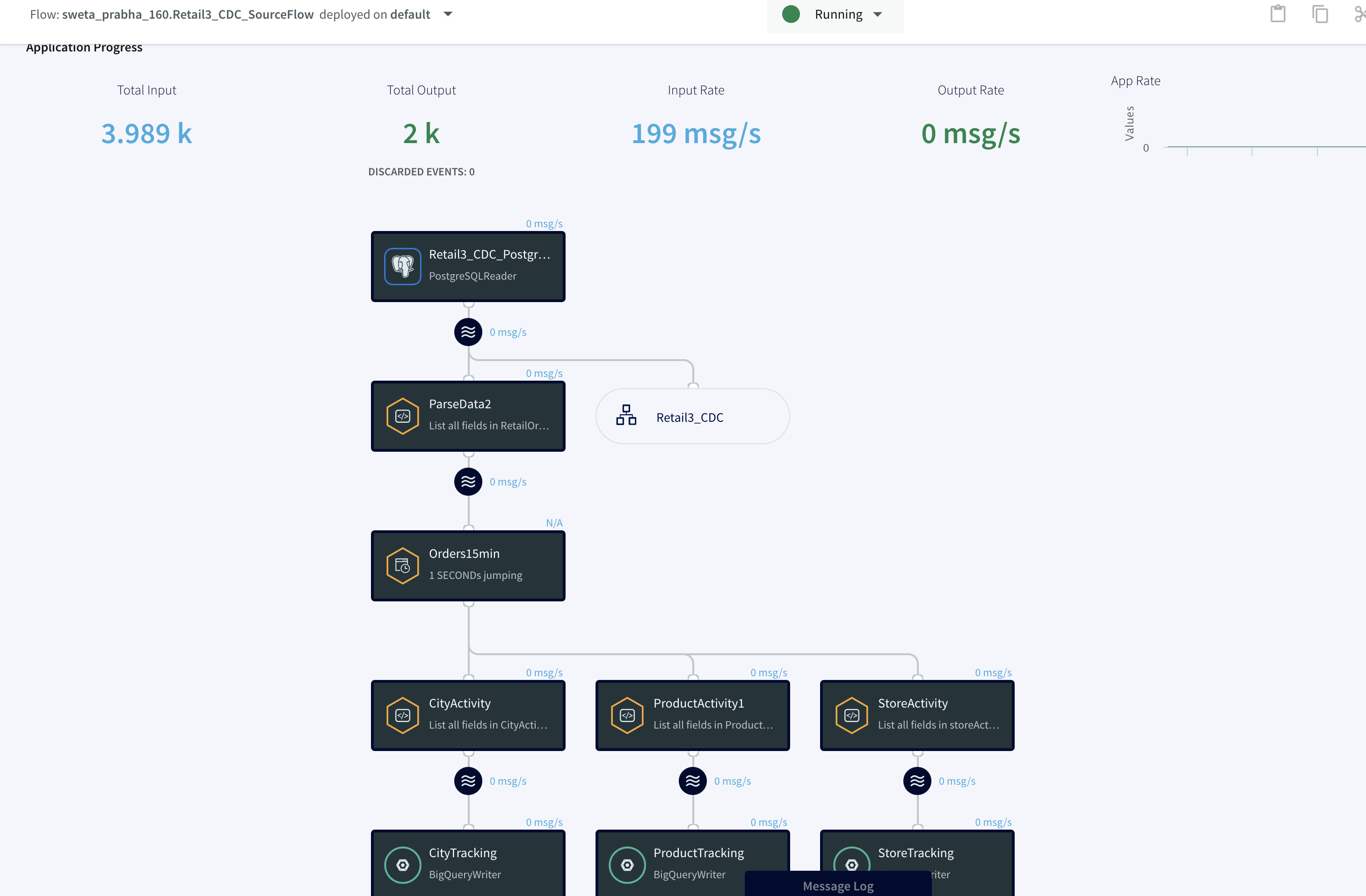
The diagram below simplifies each component of the app.
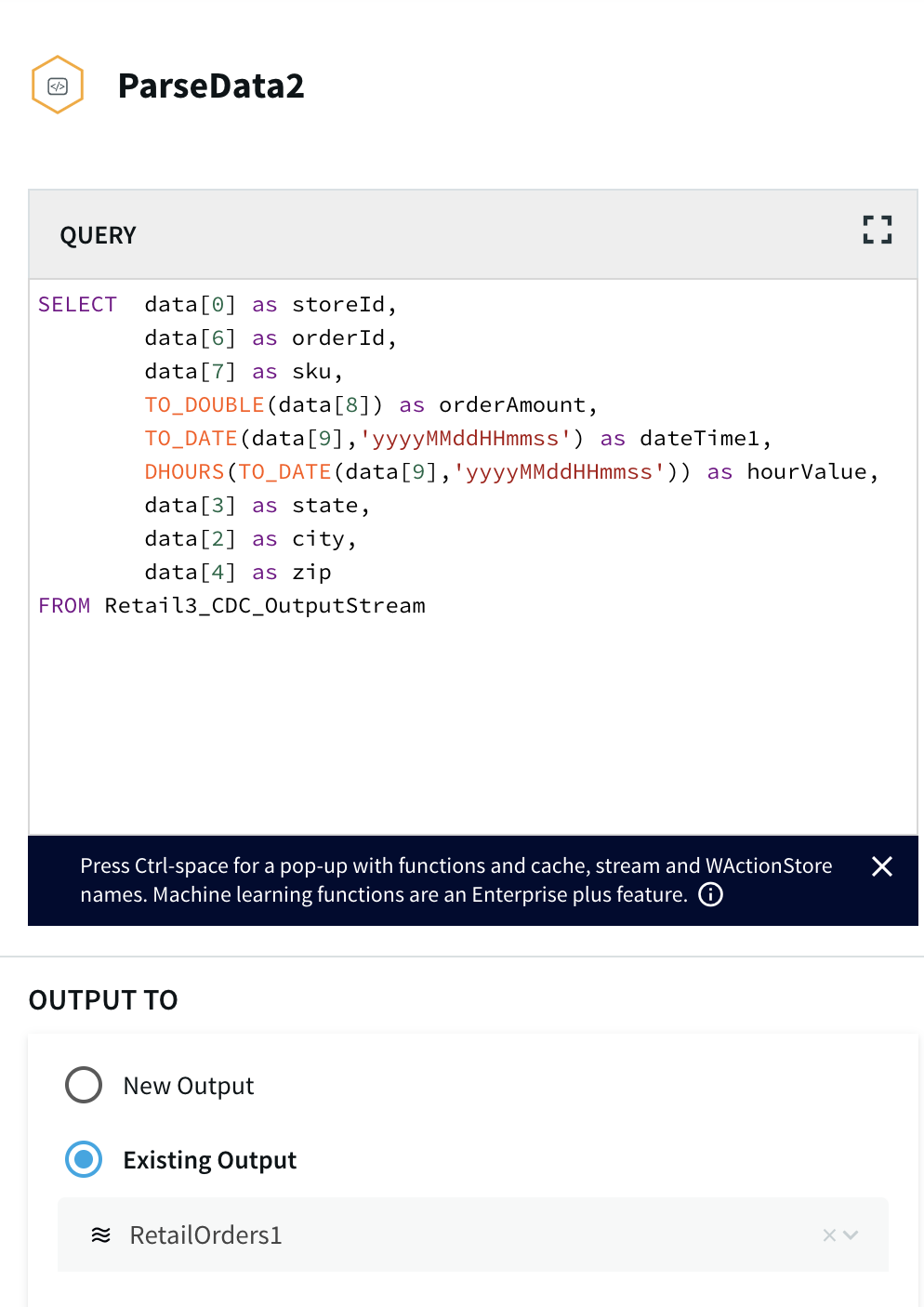
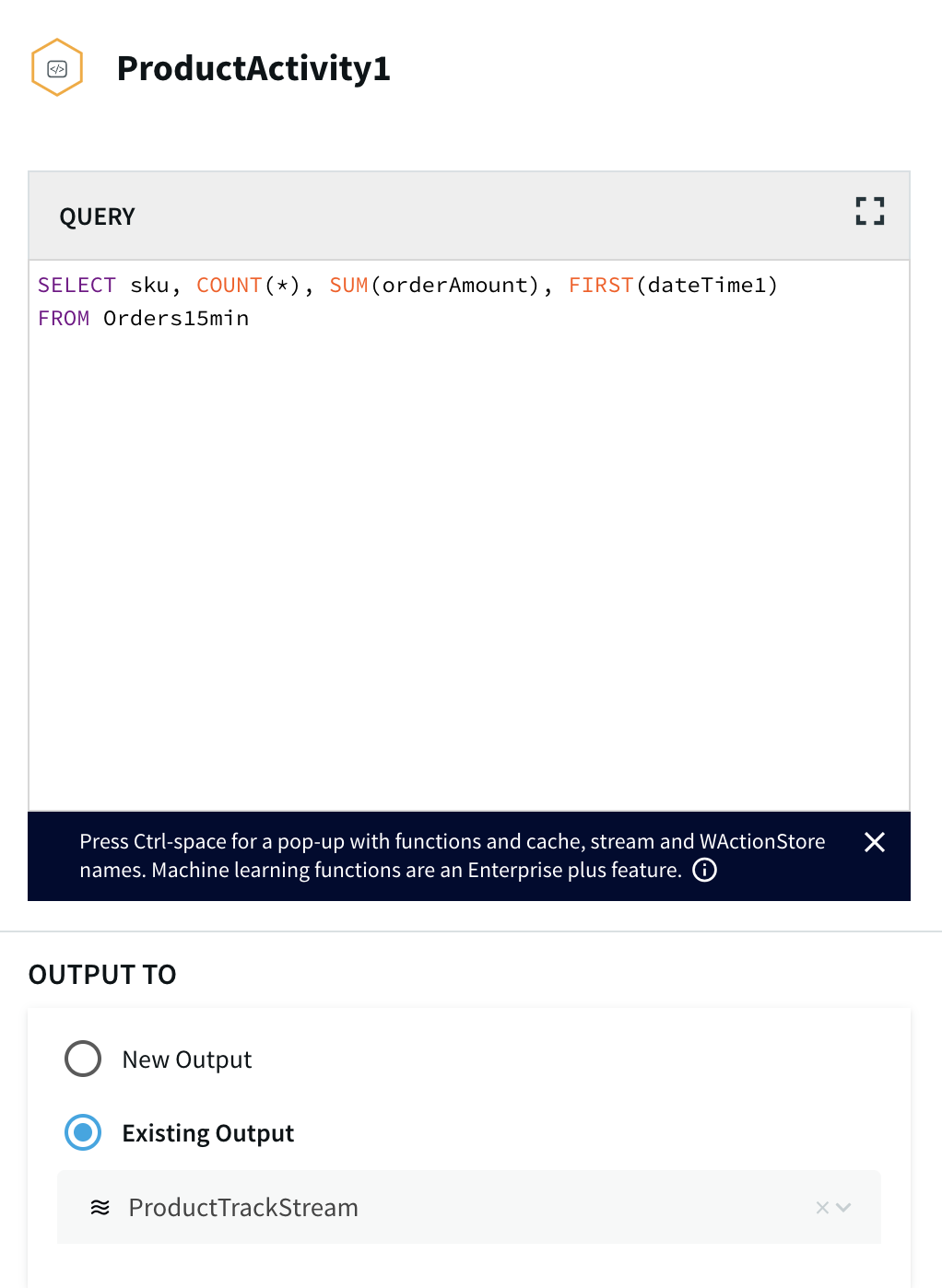
The continuous query is a sql-based query that is used to query the database.The following queries are for ParseData2 where data is transformed into proper data type for further processing and ProductActivity1 where product data is aggregated to derive useful insights about each product.
Step 3: Deploy and Run the Striim app for Fast Data Streaming
In this step you will deploy and run the final app to visualize the power of Change Data Capture in Striim’s next generation technology.
Setting Up the Postgres to BigQuery Streaming Application
Step 1: Follow this recipe to create a Replication Slot and user for Change Data Capture
The replication user reads change data from your source database and replicates it to the target in real-time.
Step 2: Download the dataset and TQL file from our github repo and set up your Postgres Source and BigQuery Target.
You can find the csv dataset in our github repo. Set up your BigQuery dataset and table that will act as a target for the streaming application
Step 3: Configure source and target components in the app
Configure the source and target components in the striim app. Please follow the detailed steps from our recipe.
Step 4: Run the streaming app
Deploy and run real-time data streaming app
Wrapping Up: Start Your Free Trial
Our tutorial showed you how easy it is to capture change data from PostgreSQL to Google BigQuery, a leading cloud data warehouse. By constantly moving your data into BigQuery, you could now start building analytics or machine learning models on top, all
with minimal impact to your current systems. You could also start ingesting and normalizing more datasets with Striim to fully take advantage of your data when combined with the power of BigQuery..
As always, feel free to reach out to our integration experts to schedule a demo, or try Striim for free here.
Tools you need
Striim
Striim’s unified data integration and streaming platform connects clouds, data and applications.
PostgreSQL
PostgreSQL is an open-source relational database management system.
Google BigQuery
BigQuery is a serverless, highly scalable multicloud data warehouse.















.jpg?width=456&name=webinar_streaming_data_pipelines_v3a%20(1).jpg)