Demo: Migrate Oracle Data to Azure in Real Time

Overview

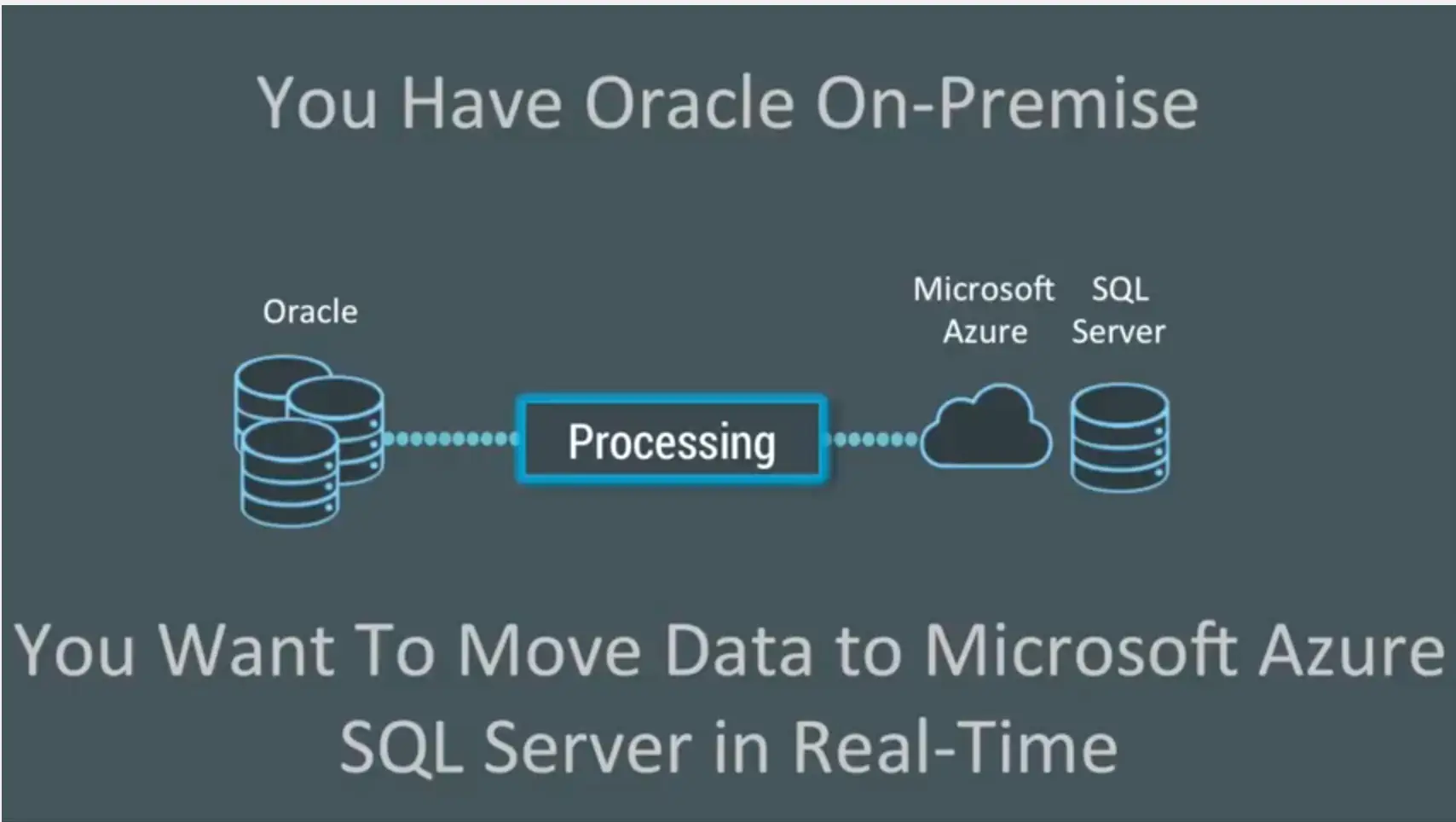
We’d like to demonstrate how you can migrate Oracle data to Microsoft Azure SQL Server running in the cloud, in real time, using Striim and change data capture (CDC).

People often have data in lots of Oracle tables, on-premise. They want to migrate Oracle data into Microsoft Azure SQL Server, in real-time. How do you go about moving data from Oracle to Azure without affecting your production databases?

https://www.youtube.com/watch?v=iglW9aJCUlE

You can’t use SQL queries because typically these would be queries against a timestamp – like table scans that you do over and over again – and that puts a load on the Oracle Database. You might also skip important transactions. You need change data capture (CDC) which enables non-intrusive collection of streaming database change.
Migrate Oracle Data to Azure in Real Time

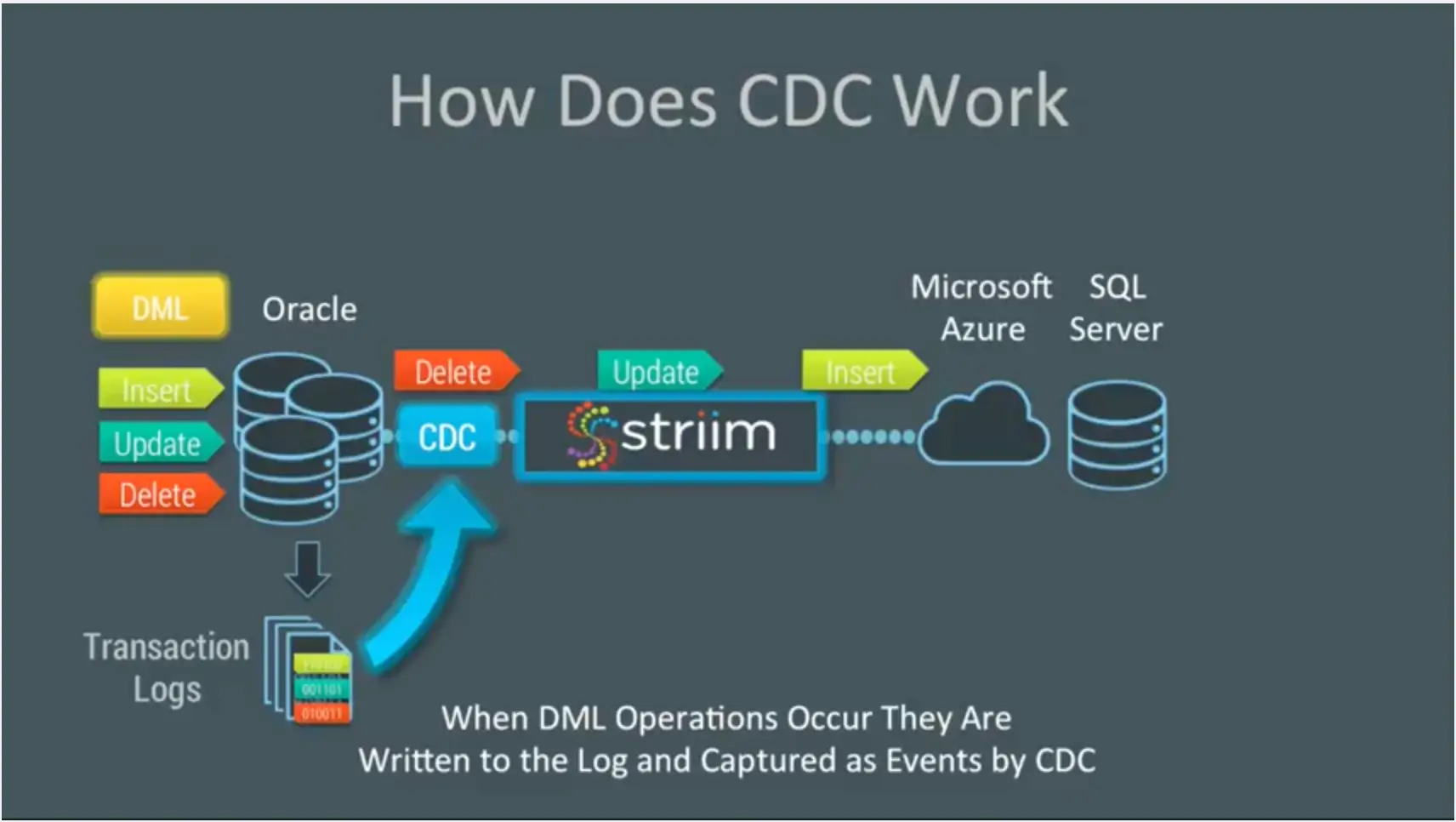
Striim provides change data capture as a collector out of the box. This enables real-time collection of change data from Oracle SQL Server and MySQL. CDC works because databases write all the operations that occur into transaction logs. Change data capture listens to those transaction marks, instead of using triggers or timestamps, and directly reads these logs to collect operations. This means that every DML operation – every insert, update, and delete – is written to the logs captured by change data capture and turned into events by our platform.
Migrate Oracle Data to Azure in Real Time

In this demo, you will see how you can utilize Striim to do real-time collection of change data capture from Oracle Database and deliver that data, in real-time, into Microsoft Azure SQL Server. We also build a custom monitoring solution of the whole end-to-end data flow. The demo starts at the 1:43 mark.

Connect to Microsoft Azure SQL Server

First, we connect to Microsoft Azure SQL Server. In this instance, we have two tables: TCUSTOMER and TCUSTORD, that we can show are currently completely empty. We use a data flow that we’ve built in Striim to capture data from an on-premise Oracle database using change data capture. You can see the configuration properties, and deliver the data (after doing some processing) into Microsoft Azure SQL Server.

To show this, we run some SQL against Oracle. This SQL does a combination of inserts, updates, and deletes against our two Oracle tables. When we run this, you can see the data immediately in the initial stream. That data stream is then split into multiple processing steps and then delivered into a Azure SQL Server. If we redo the query against our Azure tables, you can see that the previously empty tables now have data in them. That data was delivered live and will continue to be delivered in a streaming fashion as long as changes are happening in the Oracle database.

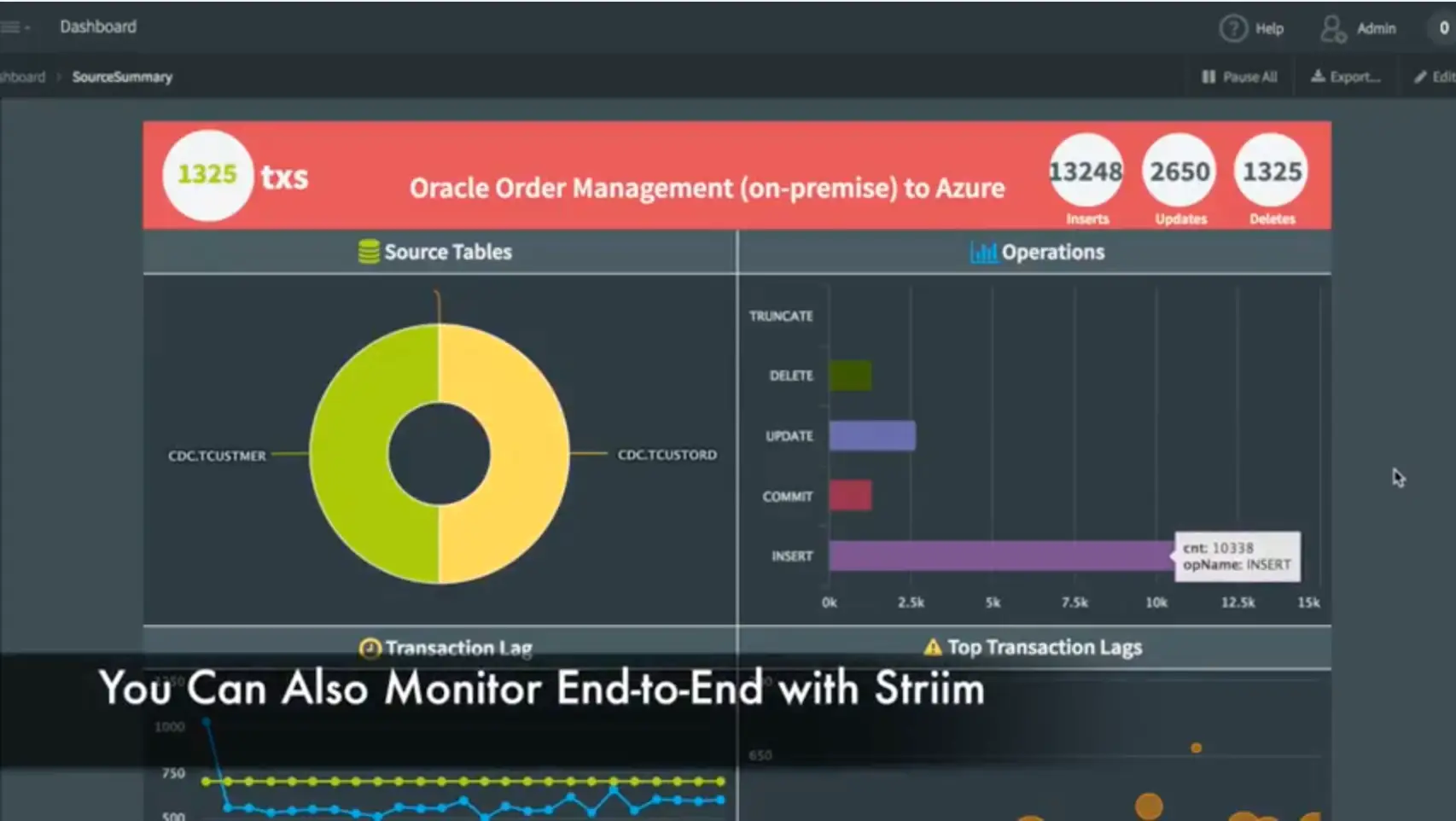
In addition to the data movement, we’ve also built a monitoring application complete with dashboard that shows data flowing through the various tables, the types of operations occurring, and the entire end-to-end transaction lag. This shows the difference between when a transaction was committed on the source system, and when it was captured and applied to the target. You can also see some of the most recent transactions.
Migrate Oracle Data to Azure in Real Time

This monitoring application was built, again, using a data flow within the Striim platform. This data flow uses the original streaming change data from the Oracle Database and then applies some processing in the form of SQL queries to generate statistics. In addition to generating data for the dashboard, you can also use this as rules to generate alerts for thresholds, etc. The dashboard itself is not hard-coded. It’s generated using a dashboard builder which utilizes queries to connect to the back-end. Each visualization is powered by a query against the back-end data. There are lots of visualizations to choose from.

We hope you have enjoyed seeing how to migrate Oracle data into the cloud using Striim via the Oracle to Azure demo. If you would like a more in-depth look at this application, please request a demo with one of our lead technologists.

Making In-Memory Computing Enterprise Grade – Overview

4 Major Components for Mission-Critical IMC Processing

This is the first blog in a six-part series on making In-Memory Computing Enterprise Grade. Read the entire series:

  1. Part 1: overview
  2. Part 2: data architecture
  3. Part 3: scalability
  4. Part 4: reliability
  5. Part 5: security
  6. Part 6: integration

If you are looking to create an end-to-end in-memory streaming platform that is used by Enterprises for mission critical applications, it is essential that the platform is Enterprise Grade. In a recent presentation at the In-Memory Computing Summit, I was asked to explain exactly what this means, and divulge the best practices to achieving an enterprise-grade, in-memory computing architecture based on what we have learned in building the Striim platform.

Making In-Memory Computing Enterprise Grade

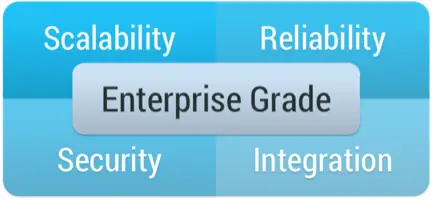
There are four major components to an enterprise-grade, in-memory computing platform: namely scalability, reliability, security and integration.

Scalability is not just about being able to add additional boxes, or spin up additional VMs in Amazon. It is about being able increase the overall throughput of a system to be able to deal with an expanded workload. This needs to take into account not just an increase in the amount of data being ingested, but also additional processing load (more queries on the same data) without slowing down the ingest. You also need to take into account scaling the volume of data you need to hold in-memory and any persistent storage you may need. All of this should happen as transparently as possible without impacting running data flows.

For mission-critical enterprise applications, Reliability is an absolutely requirement. In-memory processing and data-flows should never stop, and should guarantee processing of all data. In many cases, it is also imperative that results are generated once-and-only-once, even in the case of failure and recovery. If you are doing distributed in-memory processing, data will be partitioned over many nodes. If a single node fails, the system not only needs to pick up from where the failed node left off, it also needs to repartition over remaining nodes, recover state, and know what results have been written where.

Another key requirement is Security. The overall system needs an end-to-end authentication and authorization mechanism to protect data flow components and any external touch points. For example, a user who is able to see the end results of processing in a dashboard may not have the authority to query an initial data stream that contains personally identifiable information. Additionally any data in-flight should be encrypted. In-memory computing, and the Striim platform specifically, generally does not write intermediate data to disk, but does transmit data between nodes for scalability purposes. This inter-node data should be encrypted, especially over standard messaging frameworks such as Kafka that could easily be tapped into.

The final Enterprise Grade requirement is Integration. You can have the most amazing in-memory computing platform, but if it does not integrate with you existing IT infrastructure it is a barren data-less island. There are a number of different things to consider from an integration perspective. Most importantly, you need to get data in and out. You need to be able to harness existing sources, such as databases, log files, messaging systems and devices, in the form of streaming data, and write the results of processing to existing stores such as a data warehouse, data lake, cloud storage or messaging systems. You also need to consider any data you may need to load into memory from external systems for context or enrichment purposes, and existing code or algorithms you may have that may form part of your in-memory processing.

Enterprise Grade Means Scalable, Reliable, Secure, & Integrates Well With Existing Resources

You can build an in-memory streaming platform without taking into account any of these requirements, but it would only be suitable for research or proof-of-concept purposes. If software is going to be used to run mission-critical enterprise data flows, it must address these criteria and follow best practices to play nicely with the rest of the enterprise.

Striim has been designed from the ground-up to be Enterprise Grade, and not only meets these requirements, but does so in an easy-to-use and robust fashion.

In subsequent blogs I will expand upon these ideas, and provide a framework for ensuring your streaming integration and analytics use cases make the grade.

Back to top